By Anastasiia M., payments content, covering crypto processing for iGaming and eCommerce.
Crypto payments can be connected to Shopify via a cryptocurrency payment gateway API, but integrations here depend much more heavily on the platform's own rules.
On Shopify, it matters to separate two tasks: adding a full-fledged payment method right into Shopify Checkout, or building a separate scenario around an already-created order.
This article covers the available options, the main limitations, and the general logic for how customers pay with crypto on Shopify.
The connection method depends on where the client chooses crypto payment
The main question is exactly where the client should choose crypto payment.
If crypto payment needs to appear directly in Shopify Checkout as a full-fledged payment method, a native integration through the Shopify Payments Platform is needed.
If Shopify first creates an unpaid order, and an external backend then verifies the crypto payment and updates the already-existing order, that's a different scenario, manual payment with server-side reconciliation.
This scenario doesn't replace a native payment integration and needs to be separately checked against Shopify's current rules before launch.
Native payment methods in Shopify are connected through the Payments Platform
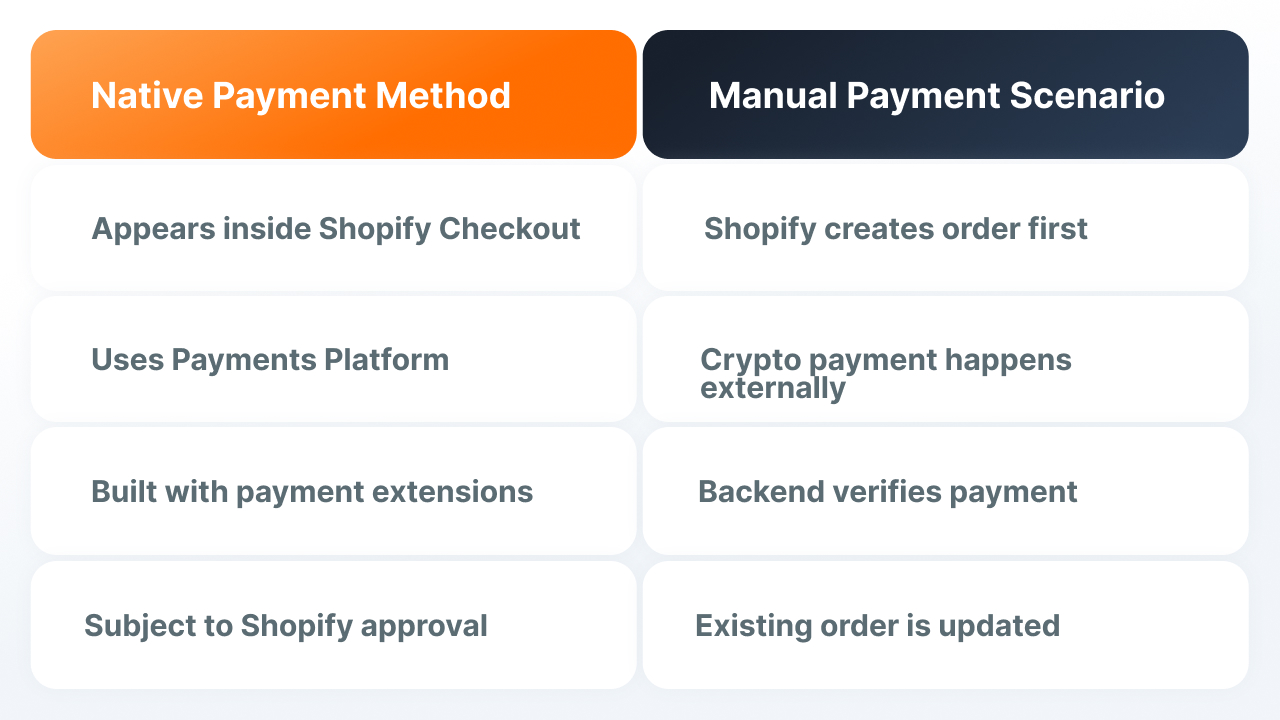
For a full-fledged payment method inside Shopify Checkout, the Shopify Payments Platform is used.
Standard payment extensions are built by approved Shopify Payments Partners. The separate ability to build your own custom payment extension is only available to some Shopify Plus merchants.
So you can't say that any payment integration necessarily requires Shopify Plus, it depends on the specific scenario.
Native payment extensions work through the Payments Apps API, not a regular Shopify plugin or generic Shopify APIs, for processing payments.
More details: Shopify — Extensions for payments.
The Shopify Admin API doesn't replace the standard checkout
The existence of API methods for creating and modifying orders doesn't mean they can be used instead of the standard Shopify Checkout.
You shouldn't build a standard online store scenario like this:
external crypto payment → then create an already-paid Shopify order through the Admin API
Shopify's terms restrict alternative checkout/payment-processing scenarios without the corresponding permission.
Because of this, you also shouldn't:
|
Don't do this |
Reason |
|---|---|
|
Insert arbitrary third-party JS directly into the Shopify payment step |
Payment logic and checkout are set up through the mechanisms Shopify provides |
|
Send the client to an external crypto payment first, then create the Shopify order after payment |
This can be treated as bypassing the standard checkout |
|
Use orderCreate as a replacement for Shopify Checkout |
Having an API method doesn't mean it can be used as an alternative checkout |
|
Treat Payment Button as a full-fledged Shopify payment method |
The button itself doesn't create a payment integration and doesn't sync the order |
What a manual payment scenario can look like
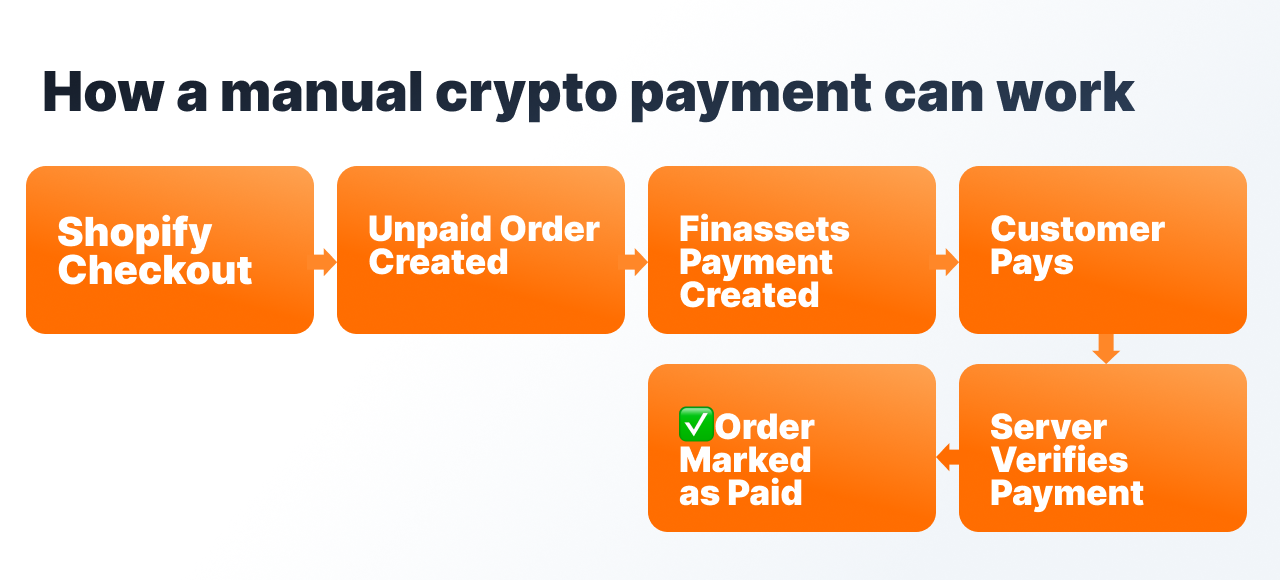
Step 1. Set up a manual payment method
A custom manual payment method, for example Crypto, is created in Shopify and appears as a payment option on the checkout page.
Step 2. The client goes through the regular Shopify Checkout
First, Shopify creates the order as unpaid/pending.
Only after that does the integration link the order to the external payment scenario.
This order shouldn't be treated as a universally approved Shopify scheme, but it keeps the standard Shopify Checkout instead of replacing it with an external payment page.
Step 3. Save the link between the order and the payment
The backend keeps a link, for example:
Shopify order ID ↔ the store's payment ID ↔ Finassets payment / transaction ID
This then lets you link a Finassets event to an already-existing Shopify order.
Step 4. Create the payment through Finassets
For this scenario, hosted Checkout can be considered: when creating it, you can pass an orderId and get back a link to the payment page.
For Deposit Address there's no direct link to an eCommerce orderId, so the link to the order needs to be kept separately.
At the same time, the exact webhook and reconciliation logic for hosted Checkout is best confirmed separately against Finassets' current documentation.
Before launch, you need to confirm exactly which Finassets event or state should be used for the further update of the Shopify order.
Step 5. Show the client payment instructions
Shopify Thank You / Order Status extensions can be used for additional content after checkout.
They can get the order ID and call an external service, but they don't change the order directly.
So a dynamic payment scenario still needs a backend.
Step 6. Verify the payment on the server
Cryptocurrency transactions can look confirmed before they're final, so you shouldn't mark a Shopify order as paid just because:
- the transaction is already visible on the blockchain
- the client returned to the success page
- the frontend got a successful redirect
- an event arrived with no check of the current payment status
The backend needs to verify the payment data and link it to the existing order.
blockchain → Finassets → payment → Shopify order → fulfillment
Step 7. Mark the existing order as paid
For an existing order, Shopify provides orderMarkAsPaid, which can be used to reconcile manual/offline/external payments.
This needs the corresponding access permissions, including write_orders and mark_orders_as_paid.
In this scenario, the backend can mark an already-existing order as paid through orderMarkAsPaid after server-side payment confirmation.
But the specific automated Finassets scenario needs to be separately checked against Shopify's current rules before launch.
What to consider on security before launch
Finassets API credentials, including API keys, must be stored only on the backend.
An incoming webhook needs to be verified before any changes to the Shopify order.
It also matters to:
- keep the link between the order and the payment
- verify the amount and asset, accounting for exchange rate volatility
- not run the final order update more than once
- save the event if Shopify is temporarily unavailable, and retry the sync later
Finassets provides the payment infrastructure
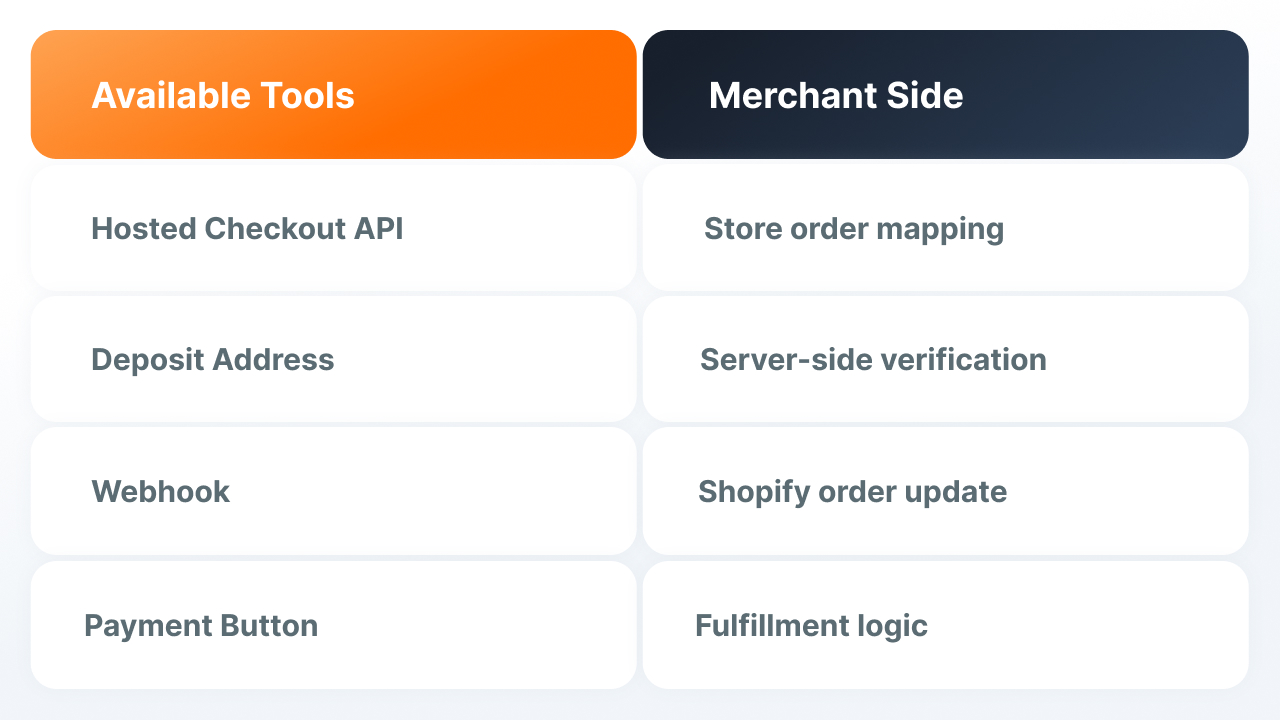
These options let a store accept cryptocurrency payments through Finassets:
- Get Deposit Address
- hosted Checkout API
- webhook
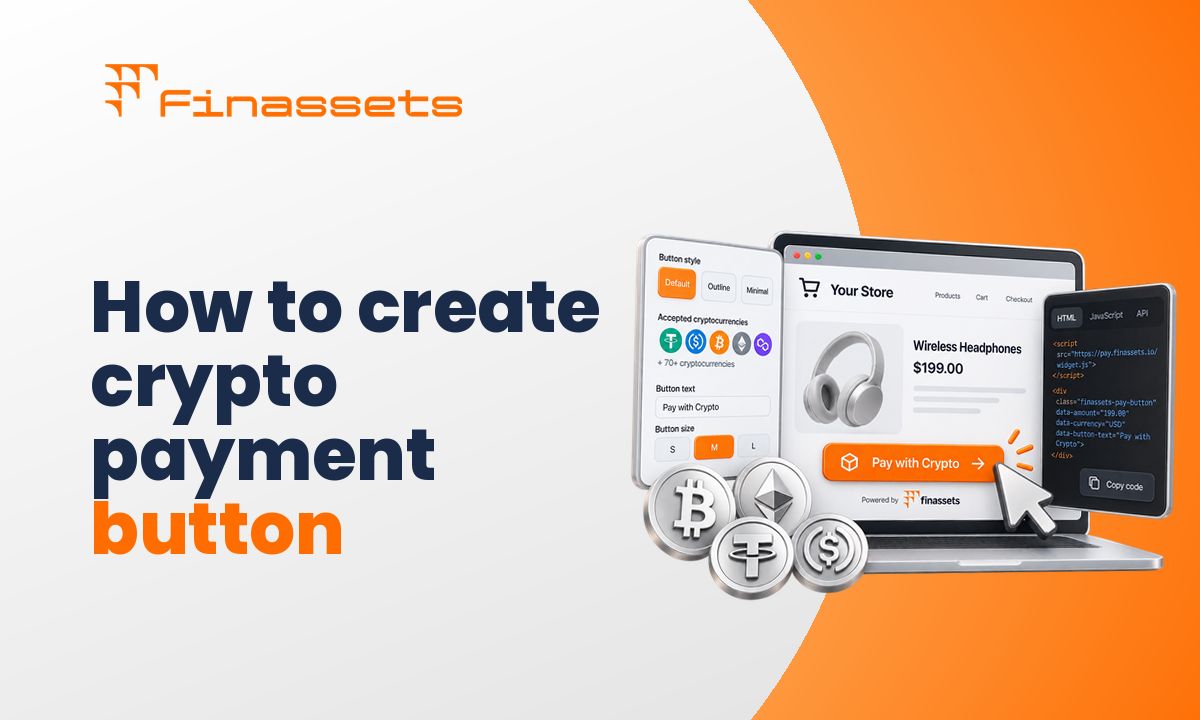
- Payment Button
- API
- a staging environment for testing without real funds
The logic for updating the Shopify order stays on the store's integration side.
Payment Button on its own doesn't turn Finassets into a native Shopify payment method and doesn't replace Shopify Checkout.
The specific integration depends on your Shopify setup
The schemes above show the general logic of a possible integration, not a universal production flow for every Shopify merchant. The specific implementation depends on the Shopify plan, checkout, apps used, and how order handling and the backend are currently set up.
The Finassets technical team can help go through your current setup and check the integration together with your developer. Before launch, it can be tested in the staging environment without using real funds.
→ Start accepting cryptocurrency payments: Discuss the integration architecture with the Finassets team