By Anastasiia M., payments content, covering crypto processing for iGaming and eCommerce.
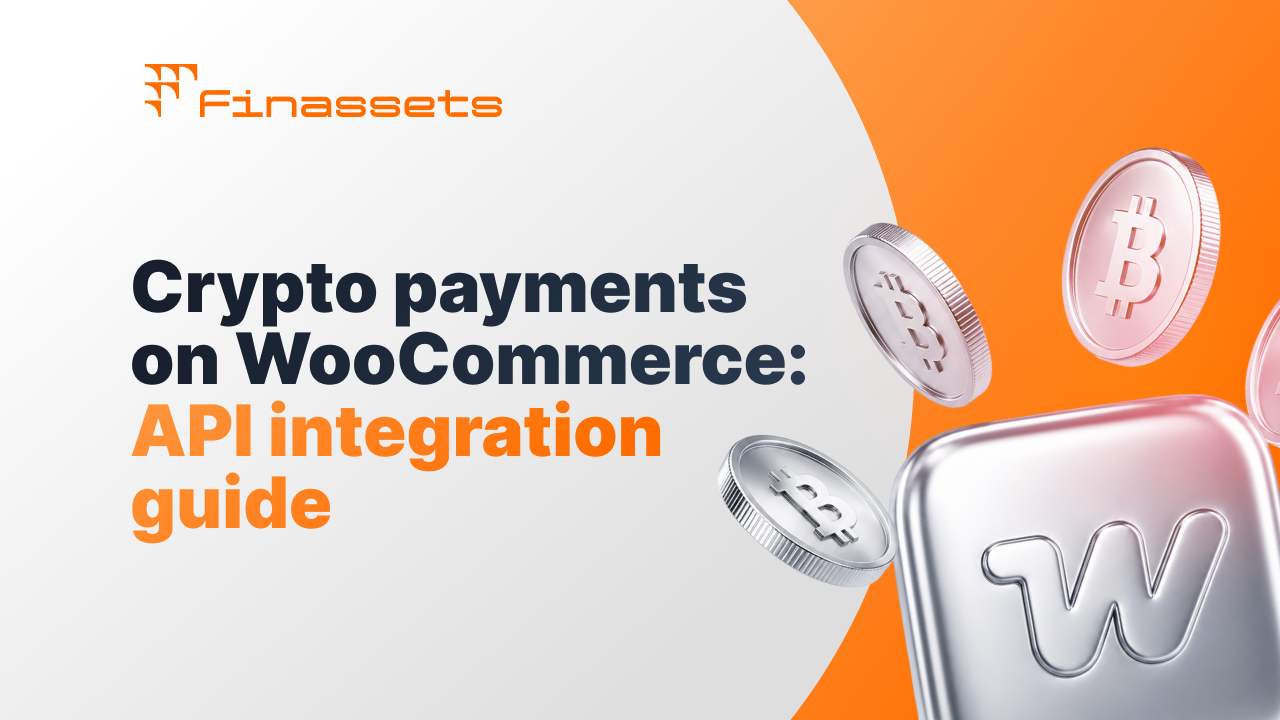
A crypto payment gateway for WooCommerce can be connected to accept payments without a ready-made plugin from the provider, but this will require development. Finassets works through API and webhook: the payment is created on Finassets' side, and the store links it to its own order and updates the status after the payment is confirmed.
WooCommerce fits this scenario because it lets you add your own payment method in checkout, or keep the main payment logic in an external backend.
First we'll look at what this approach gives the business, then at what the integration itself looks like.
Through the API, a crypto payment can be linked to a specific WooCommerce order
The main difference between an API integration and ready-made crypto payment plugins is that the store itself sets up the link between the payment and the order.
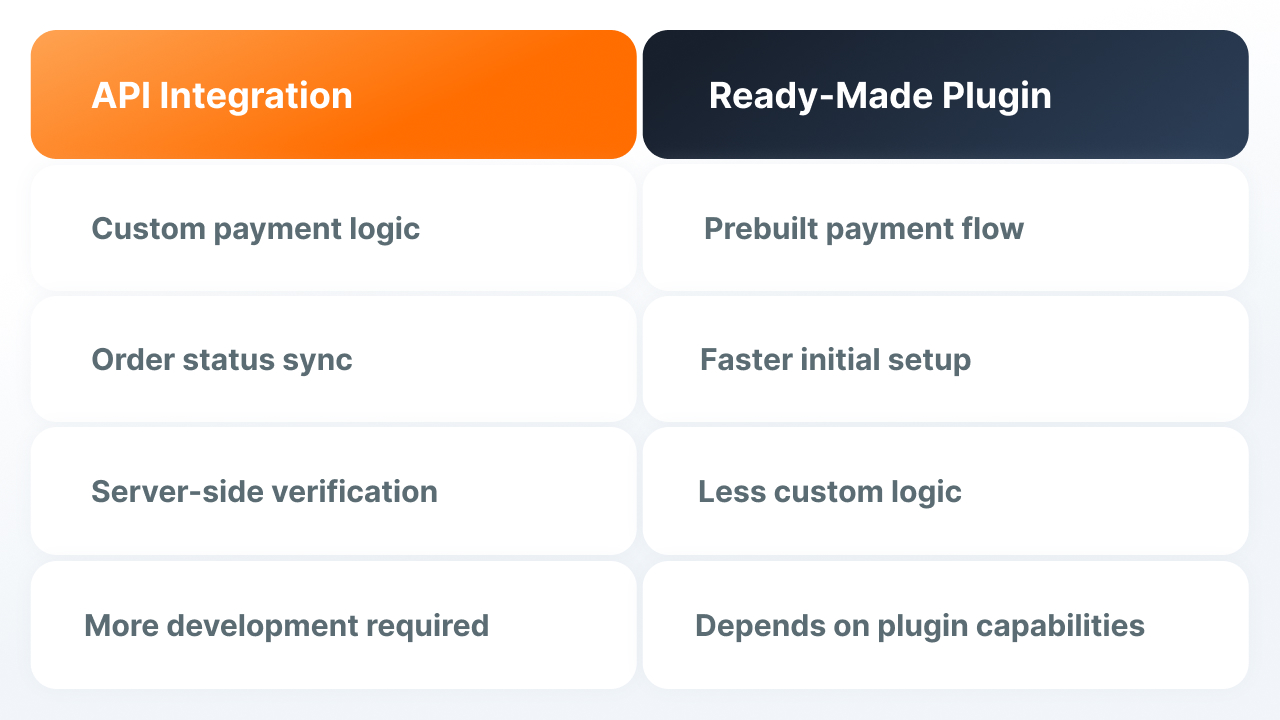
This approach lets you:
- sync the payment status with the WooCommerce order status
- add crypto payment as a separate payment method in checkout
- keep the payment logic in an external backend
- use webhook for server-side payment verification
- decide for yourself when and how to update the order after a payment status change
Finassets doesn't automatically update the order in WooCommerce. The platform passes along payment data and events, and the store sets up the order update logic.
The connection method depends on whether crypto payment needs to appear directly in checkout
There are two main options for WooCommerce.
|
Option |
How it works |
When it fits |
|---|---|---|
|
Custom payment method in WooCommerce |
The developer adds crypto payment as a separate payment method in checkout |
If crypto users need to choose crypto payment right at checkout |
|
Backend + WooCommerce REST API |
The backend works with Finassets, receives webhooks and updates existing orders through the WooCommerce API |
If the main payment logic already lives outside WordPress |
Both options solve different tasks.
REST API lets you update existing orders, but on its own doesn't add crypto payment as a payment option in checkout. If the client needs to choose crypto payment when placing the order, a separate checkout component is needed.
If the store uses Checkout Blocks, the payment method needs to be separately registered for block checkout too — a regular server-side gateway won't just appear there on its own. More details: WooCommerce 8.3.0 Released.
Deposit Address and Checkout API link the payment to the order differently
These two scenarios are best considered separately.
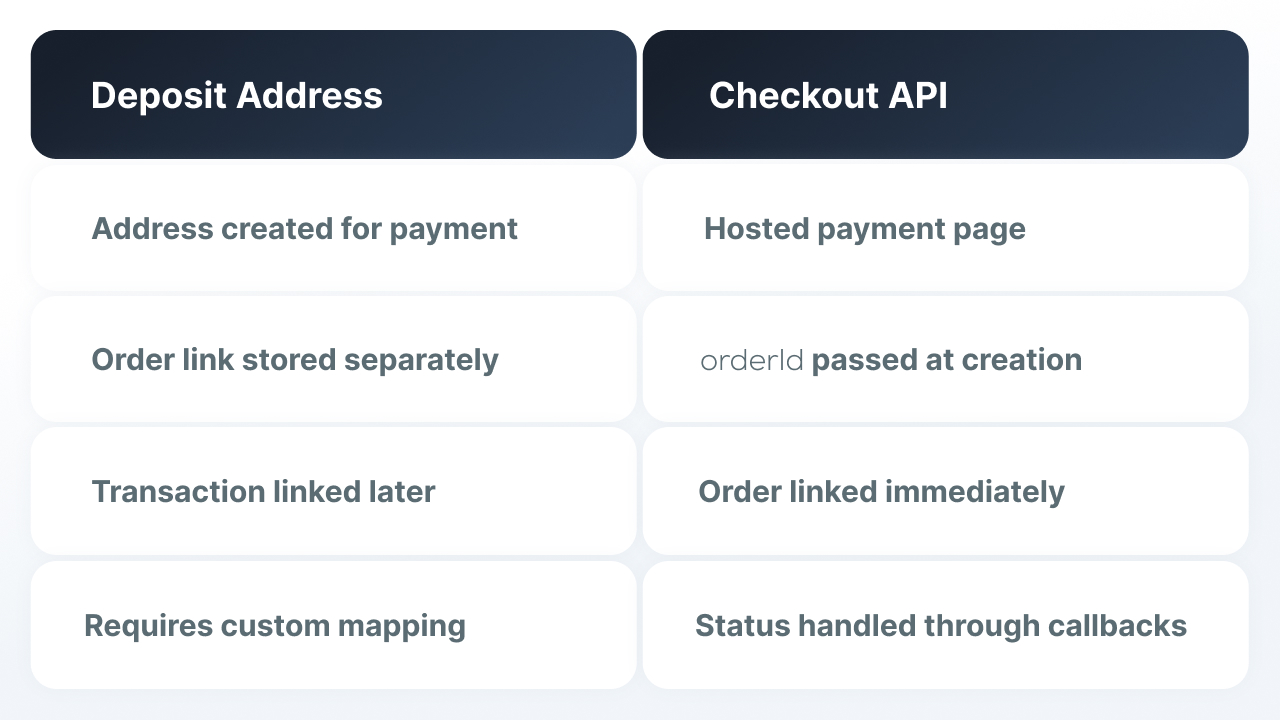
Deposit Address
The backend gets a crypto wallet address through Get Deposit Address to receive crypto payments for a specific user and asset.
Once blockchain technology confirms the funds arrived, Finassets sends TRANSACTION_CREATED, then TRANSACTION_UPDATED as the status changes. The backend verifies the event and links the transaction to the right WooCommerce order.
Important: Get Deposit Address doesn't tie the address to a specific order in the ecommerce store. So the store has to keep track of the link between the order, the address and the transaction itself.
For example:
WooCommerce order ID ↔ the store's payment ID ↔ Finassets transaction ID / refId
The refId for the Deposit scenario can be set after the transaction ID appears.
The TRANSACTION_UPDATED event on its own doesn't mean the payment was successful. The final status, after which the order can be marked as paid, needs to be defined in the integration logic and confirmed with Finassets.
Checkout API
Hosted Checkout is created through the Finassets API. When creating it, you can pass the orderId, the order contents and the amount, and get back a link to the payment page in response.
This lets you link the Checkout to a specific order right when the payment is created.
For Checkout API, you need to use its current status logic and callback events. The specific mechanism by which Checkout moves the WooCommerce order into a paid status is best confirmed with Finassets before launching in production.
How the connection works
Step 1. Choose the integration option
If the client needs to choose crypto payment right in checkout, you need to add a custom payment method in WooCommerce payment settings.
This uses the WooCommerce Payment Gateway API, and the payment logic can process payments through process_payment($order_id).
If a separate payment method in checkout isn't needed, the main logic can be kept in an external backend and orders can be updated through the WooCommerce REST API.
Step 2. Create the WooCommerce order
The WooCommerce order needs to exist before the payment is finally confirmed.
While the payment isn't confirmed, the order stays in an unpaid status, for example Pending or On-hold.
The integration needs to save the WooCommerce order ID and the data that will let it be linked to the Finassets payment.
Step 3. Create the payment through Finassets
From here, the backend follows the chosen Finassets scenario for crypto transactions.
For Checkout API, a hosted Checkout is created with an orderId.
For Deposit Address, the backend gets the address and keeps track of the link between the WooCommerce order and the future transaction itself.
Finassets API credentials must be stored only on the backend.
Step 4. Show the client the payment
The integration can redirect the user to an external payment page where customers pay in crypto, or show the necessary instructions.
A success page or a successful redirect can't be used as the final confirmation of payment.
The payment needs to be confirmed on the server.
Step 5. Accept and verify the Finassets webhook
Before changing the order, the backend checks:
- Finassets-Signature
- the event's link to the saved payment
- the matching WooCommerce order
- the amount and asset
- the current transaction status
These security features stop a repeated event from changing the order status again.
Finassets considers a webhook successfully delivered if the endpoint responds with HTTP 200 within 30 seconds. If delivery fails, retries are built in, so the handler needs to correctly deal with repeated events when processing transactions.
Step 6. Mark the order as paid
If the integration logic is inside WooCommerce, once payment is confirmed the order can be marked as paid through:
$order->payment_complete($transaction_id)
WooCommerce then records the transaction ID and payment date in the admin panel and triggers the standard order processing logic.
If the logic is in an external backend, the order can be updated through the WooCommerce REST API.
The specific Finassets status after which the order is considered paid depends on the chosen scenario and needs to be defined before launch.
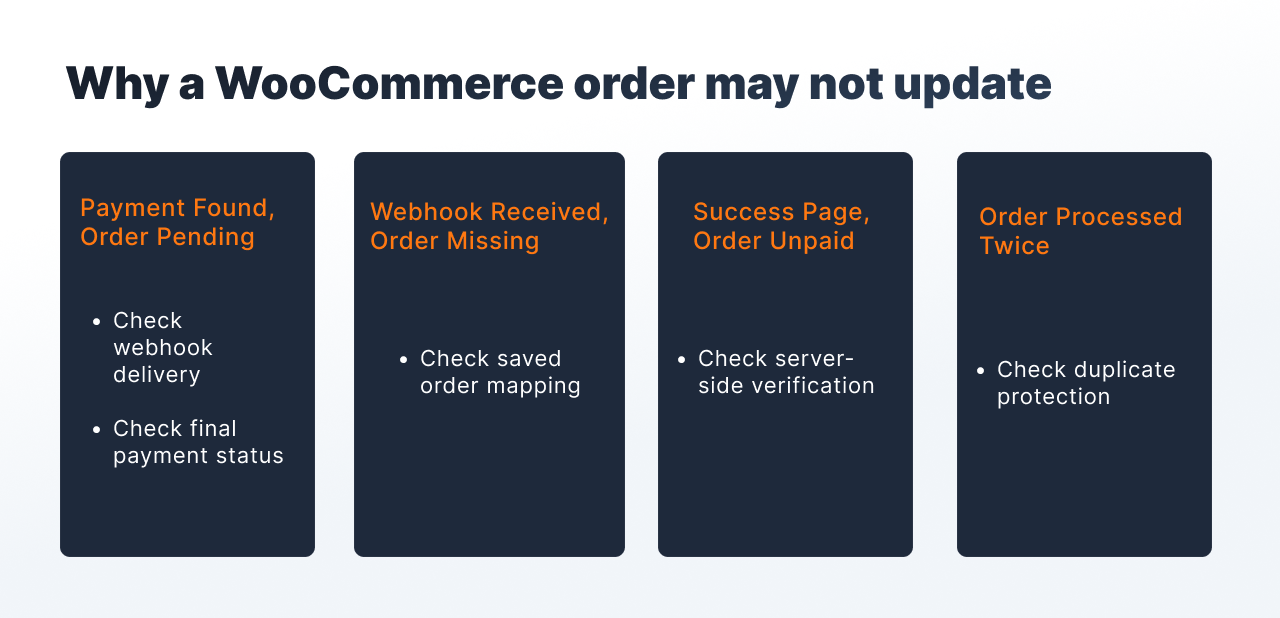
If the order didn't update, the problem is usually in payment sync
|
Symptom |
What to check |
|---|---|
|
The transaction appeared, but the order stays Pending |
Whether the webhook arrived and whether the payment received a final status |
|
The webhook arrived, but the order wasn't found |
Whether the link between the WooCommerce order and the Finassets payment was saved |
|
The order was processed twice |
Whether there's protection against processing the same event twice |
|
The amount doesn't match |
Whether automatic confirmation was stopped and further verification is set up |
|
The client saw a success page, but the order isn't paid |
Whether the frontend is being used as the only source of status |
Rules for underpayment, overpayment and other non-standard cases are best defined separately for the chosen Finassets scenario.
Finassets provides the payment infrastructure
Finassets provides the payment infrastructure needed to accept cryptocurrency payments, and the link to a specific WooCommerce order is set up on the store owner's side.
Available for integration:
- Get Deposit Address
- hosted Checkout API
- webhook
- Payment Button
- API
- a staging environment for testing without real funds
Payment Button can be used as a ready-made element for accepting crypto payments, but syncing it with the order still needs a separate integration.
The final integration setup depends on the specific WooCommerce store's structure
The schemes above show the general logic for connecting WooCommerce to Finassets. Integrating crypto payments depends on the checkout version, other plugins used, the backend, and how order handling is currently set up.
The Finassets technical team can help any online business go through its current setup and check the integration together with your developer. Before launch, it can be tested in the staging environment without using real funds.
→ Start accepting crypto payments: Discuss the integration architecture with the Finassets team