By Alena K., payments content, covering crypto processing for iGaming, eCommerce, forex and prop trading.
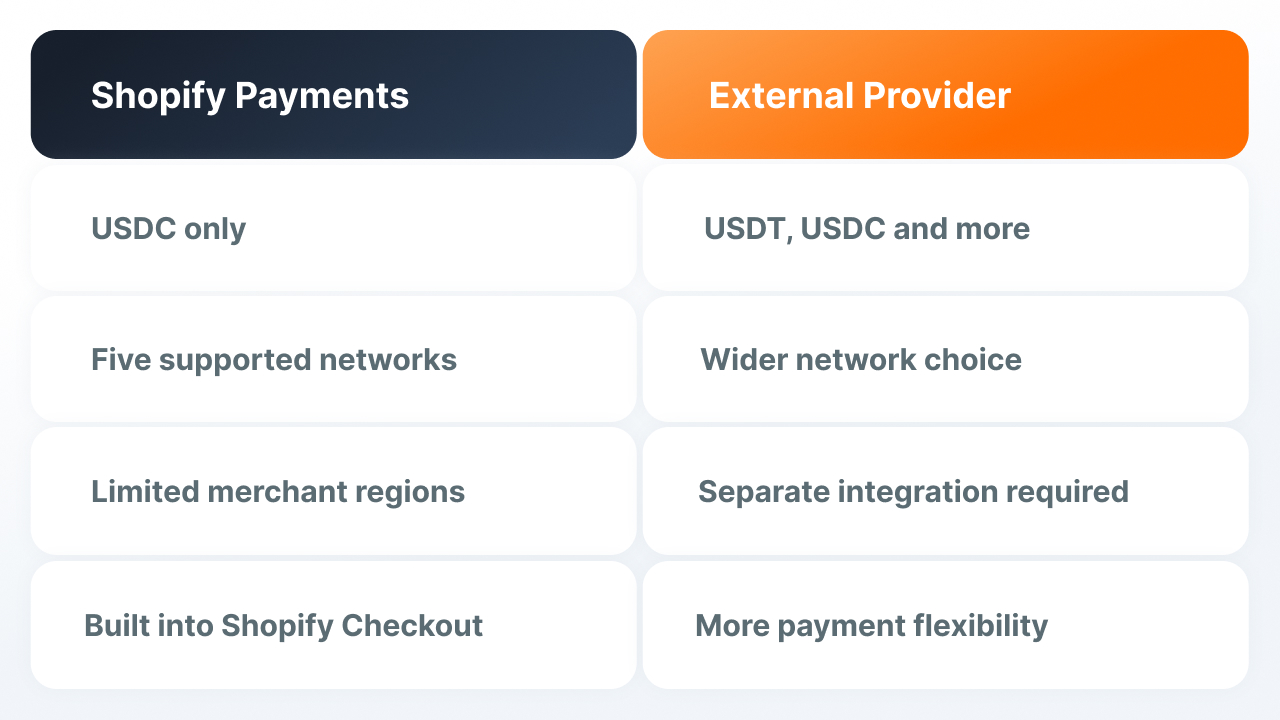
Shopify Payments already lets you accept USDC, but the native feature doesn't cover every scenario. It's only available in certain regions, works with a limited list of networks, and doesn't support some familiar ecommerce features. USDT isn't natively supported in Shopify Payments.
In this article, we look at exactly what Shopify Payments supports for USDC, where the native feature's capabilities end, and how to connect USDT and other assets through an external crypto payment provider.
Why Shopify added USDC to native checkout
Shopify describes its own decision to connect USDC by pointing out that the asset has "grown to more than a trillion dollars in monthly payment volume" across the industry as a whole (Shopify, Stablecoins on Shopify). This isn't an isolated case for one platform: according to CoinLaw's forecast, crypto payment adoption in US eCommerce will grow by 82.1% between 2024 and 2026, and stablecoins have already surpassed PayPal and Mastercard by total transaction volume (CoinLaw, Crypto Payments Industry Statistics, 2026).
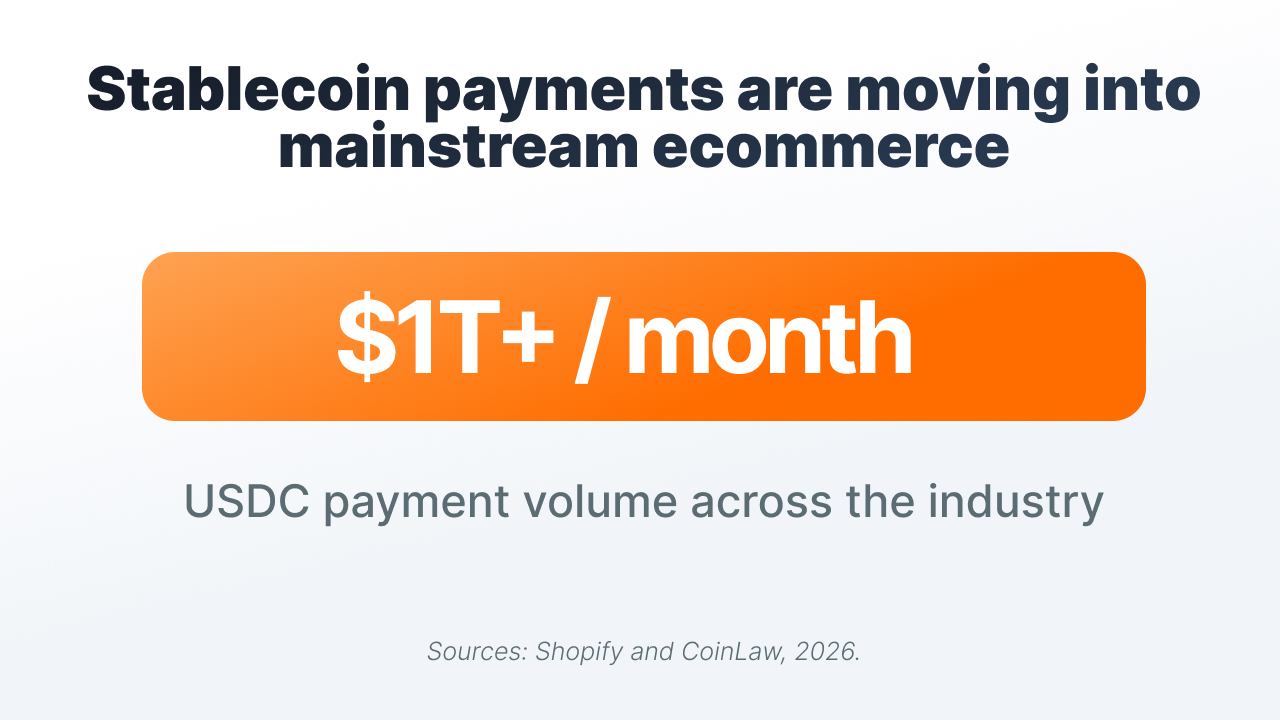
According to a 2026 report by the National Cryptocurrency Association and PayPal, 39% of US merchants already accept cryptocurrency, and among large companies the share reaches 50% (PaySpace Magazine, August 2026). So for a Shopify merchant, the question is less about whether to accept crypto and more about exactly what native USDC gives you and where its capabilities end.
What USDC support in Shopify Payments covers, and its limitations
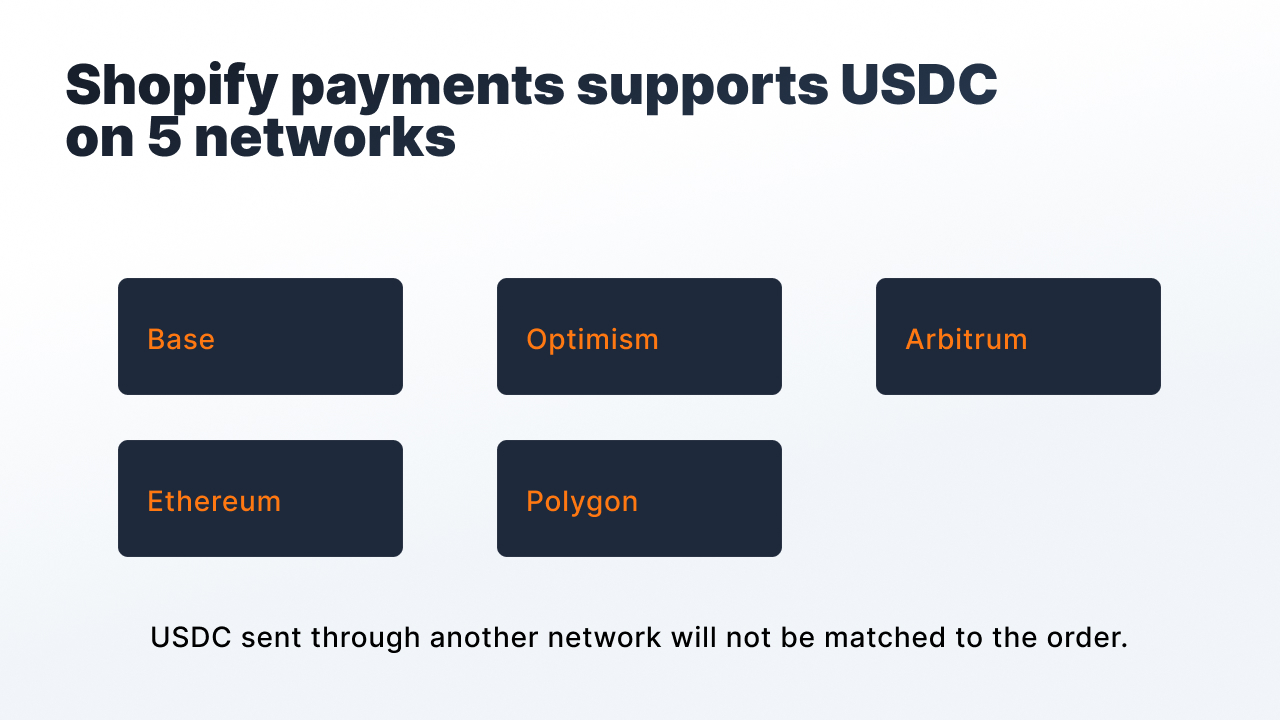
Shopify launched USDC acceptance together with Coinbase and Stripe in June 2025, starting on Base (Coinbase). The list of networks later expanded, but Shopify still only accepts USDC on a predefined set of networks.
|
What USDC support in Shopify Payments covers |
Limitation |
|
Merchant region |
Part of the US (excluding Alaska, New York, Texas), Mexico, 24 European countries, Hong Kong, via Shopify Payments Hong Kong. The resident tied to the account must be physically located in a region where USDC is available |
|
Blockchain networks |
Five: Base, Ethereum L1, Optimism, Polygon, Arbitrum, the system won't accept any other network |
|
Merchant payout method |
A regular payout in Shopify Payments' settlement currency, or directly in USDC to a crypto wallet, depending on region |
|
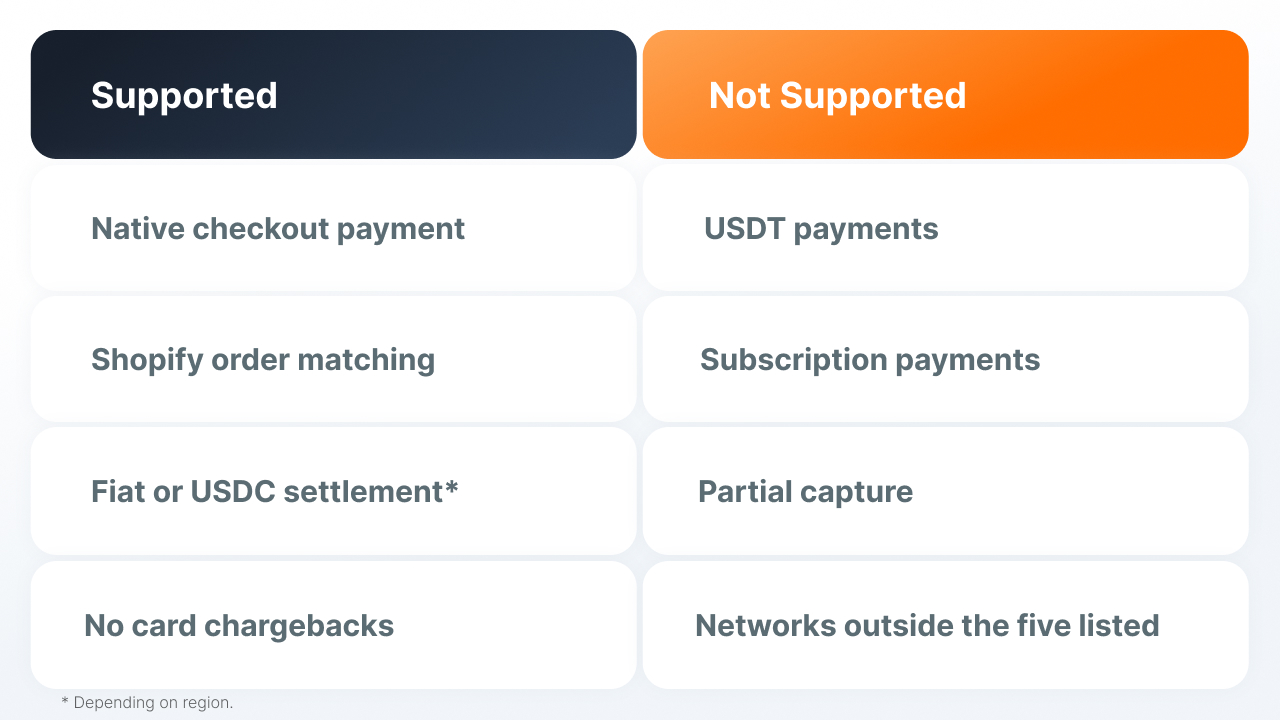
Subscriptions |
Not supported for orders paid in USDC |
|
Partial capture of funds |
Not supported |
|
Disputes and chargebacks |
There's no payment-dispute mechanism for USDC orders |
|
Customer cashback |
Up to 100 USDC per transaction, not available in all regions |
(source: Shopify Help, USDC Payments)
The main limitation here is tied to the network. If a buyer sends USDC through an unsupported network, the system won't be able to match the transfer to the order, and the funds can be lost. So matching the asset and network correctly is critical even with a native integration.
A confirmed payment and a paid order don't always update at the same time
The transaction is already confirmed on the blockchain, but the order status hasn't updated yet. For a business, this creates two risk zones:
- An incomplete order. The money has been deducted, but the order isn't formally marked as paid, so the item waits for shipping until manual review is done.
- Customer trust. The transaction is already confirmed in the buyer's wallet, but the store still shows pending. To the customer, this looks like a problem with the store.
How to accept USDT and other assets on Shopify
Native Shopify Payments only works with USDC. If a store needs USDT or other crypto assets, an external crypto payment provider is needed.
Finassets doesn't have a dedicated Shopify plugin. Connection is possible in two ways:
- Payment Button. An embeddable way to accept USDT, USDC, or another asset without development work.
- API integration. A full connection to payment events and Structured Checkout, with a unique address for each payment session and automatic status tracking.
With an external crypto checkout, it's also worth checking the buyer's journey. Some solutions add a separate KYC check or a redirect to a third-party service. In Finassets' Structured Checkout, the buyer gets an address or QR code to send the transfer to, without a separate registration with Finassets.
|
Shopify Payments (native USDC) |
Finassets |
|
|
Assets |
USDC only |
USDT, USDC, and 70+ more assets, multi-asset deposits |
|
Networks |
Base, Ethereum, Optimism, Polygon, Arbitrum |
Ethereum, BNB Chain, TRON, Polygon, Solana, TON |
|
Merchant region |
Limited list of countries and states |
Not tied to Shopify Payments' regional list |
|
Connection |
Built into Shopify Payments, no separate integration needed |
Payment Button, or API, full integration. No ready-made CMS plugin |
|
Subscriptions and partial capture |
Not supported for USDC orders |
Depends on the merchant's own architecture, not limited by Shopify Payments itself |
|
Matching a payment to an order |
Handled natively by Shopify Payments |
Structured Checkout, tied to the session, not to a shared address |
→ See how the Finassets Payment Button works
The network affects both cost and payment success
In Shopify Payments, the list of networks is fixed in advance. An external provider usually offers a wider choice, so a merchant needs to consider not just the transfer cost, but whether the sender's and recipient's networks are compatible.
- The same asset on different networks is a different payment route. If the sender's network and the recipient's network don't match, the payment won't be processed as expected.
- Even within one network, different versions of an asset can exist, for example native and bridged USDC. Their support also needs to be checked in advance.
The network fee differs across networks and changes with their load.
For TRC20 transfers, Finassets' TRON Energy Saving System helps lower costs compared to the standard TRX-burning model. Savings depend on Energy availability and network conditions.
What an external crypto provider gives you, and what limitations remain
An external provider expands the list of assets and networks, but it doesn't remove the basic properties of blockchain payments. Transactions remain irreversible, and confirmation speed depends on the specific network.
|
What changes |
What stays the same |
|
You can accept USDT and other assets, not just USDC |
An on-chain transaction is still irreversible, there's no chargeback mechanism like with cards, and there won't be one |
|
No lock-in to the five networks and regional list of Shopify Payments |
Confirmation still depends on the specific network's state, not on the provider's speed |
|
Matching a payment to an order doesn't rest on a single webhook endpoint as a point of failure |
Sending to the wrong network is a risk that stays with the buyer regardless of the provider |
What's changed over the past 12 months
- Coinbase and Shopify launched USDC acceptance on the Base network in early access in June 2025, later expanding to other networks and regions (Coinbase, 2025).
- According to Shopify's own data, USDC as an asset growing to more than $1 trillion in monthly payment volume across the industry is the context in which the native integration appeared in the first place (Shopify, 2026).
- A 2026 report by the National Cryptocurrency Association and PayPal found that 39% of US merchants already accept cryptocurrency, 50% among large companies, and that stablecoins in particular are becoming the preferred format (PaySpace Magazine, August 2026).
Finassets extends crypto checkout beyond native USDC
Native USDC in Shopify Payments doesn't fit every store. If you need USDT, other assets, or more networks, you'll need a separate crypto payment infrastructure.
Finassets connects not through a ready-made Shopify plugin, but through Payment Button or API:
- Payment Button to accept payments without heavy development work.
- API and Structured Checkout with a unique address for each payment session and automatic status tracking.
- 70+ crypto assets, including USDT and USDC across several networks.
- Fee from 0.40% to 0.20% depending on volume, terms fixed in the contract.
- Finassets is registered in Panama. Onboarding usually takes 2–7 business days, subject to KYB and compliance review.
For more on how to accept cryptocurrency in an online store, see Finassets' crypto payments page for eCommerce
Native USDC covers a Shopify store's basic needs
For some merchants, native USDC in Shopify Payments is enough. If you need USDT, other networks, or more flexible payment infrastructure, a separate crypto provider can be connected on top of the store.
The Finassets team can help choose a Payment Button or API setup that fits your store's assets, networks, and volume.
→ Discuss accepting USDT and other assets with the Finassets team