By Anastasiia M., payments content, covering crypto processing for iGaming and eCommerce.
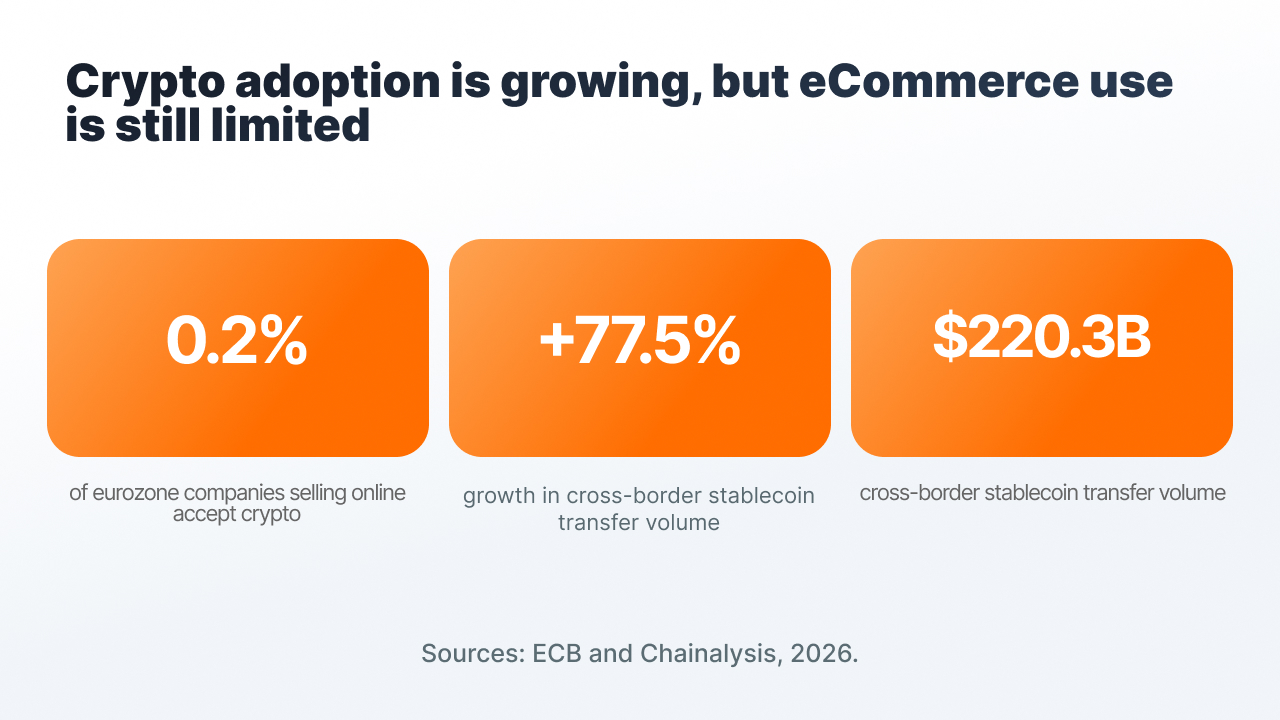
Crypto payment is still rarely used in online stores. According to a 2026 ECB survey, among eurozone companies that sell online, 0.2% accept crypto assets, while 82% accept bank cards (ECB, Use of cash by companies in the euro area in 2026).
At the same time, the infrastructure is already appearing inside major eCommerce platforms. As of June 2025, Shopify supports USDC payment in regular checkout (Coinbase).
For a store, connecting cryptocurrency no longer looks like a technically difficult task. What matters more is understanding whether your audience needs it, which assets and networks to choose, and how to fit the new payment method into your current process.
Below we look at the main decisions worth making before connecting.
Crypto payment is more often needed by an international, crypto-native audience
According to Chainalysis, in the 2026 ranking of mass crypto adoption, the top spots went to Brazil, the US, Nigeria, Japan, and South Korea. Cross-border stablecoin transfer volume grew 77.5% to reach $220.3 billion (Chainalysis, 2026 Global Crypto Adoption Index).
That said, stablecoins' share of global payments remains small. According to McKinsey's estimate based on Artemis data, in 2025 the volume of such payments was $390 billion, around 0.02% of the global payments market. Purchases from businesses, C2B, accounted for $76 billion (McKinsey, Stablecoins find their niche).
For eCommerce, cryptocurrency more often works as an additional payment method for specific groups of buyers:
- an international audience that runs into problems with cards or bank transfers;
- buyers who already hold USDT or USDC;
- customers of digital services and niches where card processing is limited.
Step 1. Check real demand among your buyers
Before choosing a provider, it's worth looking at your store's own data:
- buyers' countries and the share of failed card payments;
- average order value, which affects the choice of network;
- support requests asking about paying in USDT, USDC, or another cryptocurrency;
- competitors in your niche and the payment methods they offer.
If buyers use cards without issues and rarely ask about cryptocurrency, you can start with a limited launch and test demand on real orders.
Step 2. Choose a few assets and networks to fit your average order value
A small set of assets is enough for a first launch.
- USDT and USDC. Their value is pegged to the dollar, so the order price stays clear during payment. USDT is available on TRON, BNB Chain, Ethereum, Polygon, Solana, and TON. USDC is available on Ethereum, Solana, BNB Chain, and Polygon.
- BTC and ETH. Worth adding if part of your audience already uses them. The funds received can be converted if needed.
The network affects the transfer cost just as much as the asset itself.
For a $15 order, a high network fee can be a noticeable share of the amount. For a $1,500 order, its impact will be smaller. For smaller orders, TRON, BNB Chain, Polygon, or Solana are usually used.
The network's name should be shown to the buyer right in checkout. A transfer on an unsupported network can require manual recovery or lead to lost funds.
Step 3. Choose a connection method to fit your current checkout
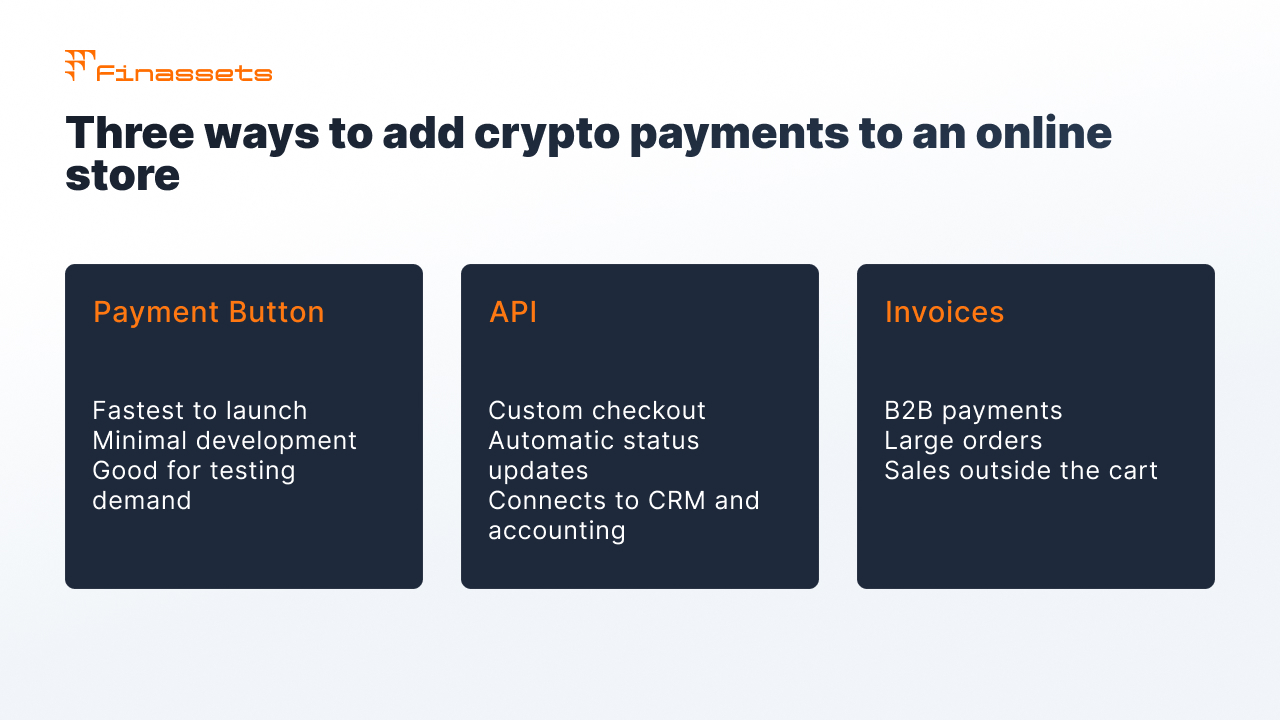
There are three main options:
- Payment Button or hosted checkout. Ready-made code for the site. Fits a quick launch and testing demand without complex development.
- API. Used for a custom checkout and automatic status delivery into the store's system. Fits if payment needs to be linked to warehouse, shipping, CRM, or accounting systems.
- Invoices and payment links. Fit B2B, large orders, and sales outside the standard cart.
A step-by-step setup from registration to the first payment is described in the article on connecting crypto payment in an online store.
The differences between a plugin, API, and hosted checkout are covered in the article on connection methods.
If your platform limits crypto support, connection options are gathered in the article on platforms with limited support.
Step 4. Tie each payment to a specific order
The blockchain transfer itself doesn't show the store which order the buyer paid for.
The payment provider creates a payment for a specific order, tracks the transaction, and passes its status to the store's system.
During integration, it's worth planning for:
- the order gets the paid status only after confirmation from the provider;
- each payment has a separate address or identifier tied to the order number;
- the logic for underpayment is defined in advance;
- there's a rule for payments made after the checkout time window ends;
- a repeated transfer for one order is handled separately;
- a repeated webhook doesn't create a second payment.
Step 5. Test the normal payment and non-standard situations
Before launch, it's worth going through the whole buyer journey yourself.
Check:
- a normal payment and the order status change;
- underpayment;
- a transfer made after the payment time runs out;
- a repeated transfer for the same order;
- how the amount, asset, network, and status display on a mobile device.
This helps catch problems before buyers run into them.
A simple checkout matters more than a large number of coins
According to the Baymard Institute, the average cart abandonment rate in eCommerce is around 70% (Baymard Institute, Cart Abandonment Rate).
This is general eCommerce statistics, but it shows how sensitive checkout is to extra steps.
For crypto payment, it's especially important to:
- show the amount, asset, and network right away;
- give the QR code and address in an easy-to-copy format;
- clearly separate the statuses "transfer sent" and "payment confirmed."
The last point helps lower the risk of a repeat payment if the transaction has already been sent but the network hasn't confirmed it yet.
After payment, funds can be held, converted, or withdrawn
Before launch, it's worth deciding what the store will do with the cryptocurrency it receives.
- Hold the asset received. Fits companies that themselves pay suppliers or contractors in cryptocurrency.
- Convert into a stablecoin. For example, if the store accepts BTC or ETH and wants to reduce the impact of rate fluctuations.
- Withdraw to your own addresses. Funds can be transferred as needed.
Withdrawal terms, available networks, and processing timelines are worth checking with the provider before connecting.
The total cost includes processing, the network, conversion, and withdrawal
The provider's rate shows only part of the cost.
The total cost can include:
- the provider's fee for processing the payment;
- the network fee;
- conversion of one asset into another;
- withdrawal of funds to an external address;
- development and maintenance of the integration, if the API is used.
A BIS study from October 2026 shows that stablecoins on their own don't eliminate all costs. Exchanges and other intermediaries with their own fees can be involved in exchanging and withdrawing funds (BIS Working Paper No 1385).
So it's better to compare providers by the total cost of receiving and then using the funds.
More on fees and scenarios where cryptocurrency can be useful for a store can be found in the article on crypto payments in eCommerce.
Refund rules are worth defining before launching crypto payment
A confirmed crypto transaction is irreversible. A refund is made as a separate transfer to the buyer.
The store should define in advance:
- the refund amount: the order's value in dollars, or the original amount of cryptocurrency;
- the rate: at the time of purchase or of the refund, if BTC or ETH was used;
- the address and network: the buyer needs to provide suitable details for the refund;
- the network fee: who pays the fee for the return transfer.
The address the original payment came from may belong to an exchange, so automatically sending a refund there isn't always safe.
The absence of a card chargeback also doesn't remove the store's obligations to the buyer under applicable consumer protection rules.
Security depends on access to Back Office, the API, and withdrawals
Main measures:
- use 2FA and role-based access for staff;
- store API keys only on the server;
- verify the signature of payment notifications;
- restrict withdrawals to previously added addresses;
- use AML screening of incoming transactions on the provider's side.
What's changed over the past 12 months
- Online stores in Europe still barely accept cryptocurrency. According to the ECB, as of August 2026, 0.2% of companies with online sales accept crypto assets, against 82% for bank cards.
- Cross-border stablecoin transfers are growing. According to Chainalysis, volume grew 77.5% to reach $220.3 billion.
- Total cost is increasingly factored into comparisons. In October 2026, the BIS compared cross-border transfers through banks, fintech services, and stablecoins, and separately examined the costs that remain when using stablecoins.
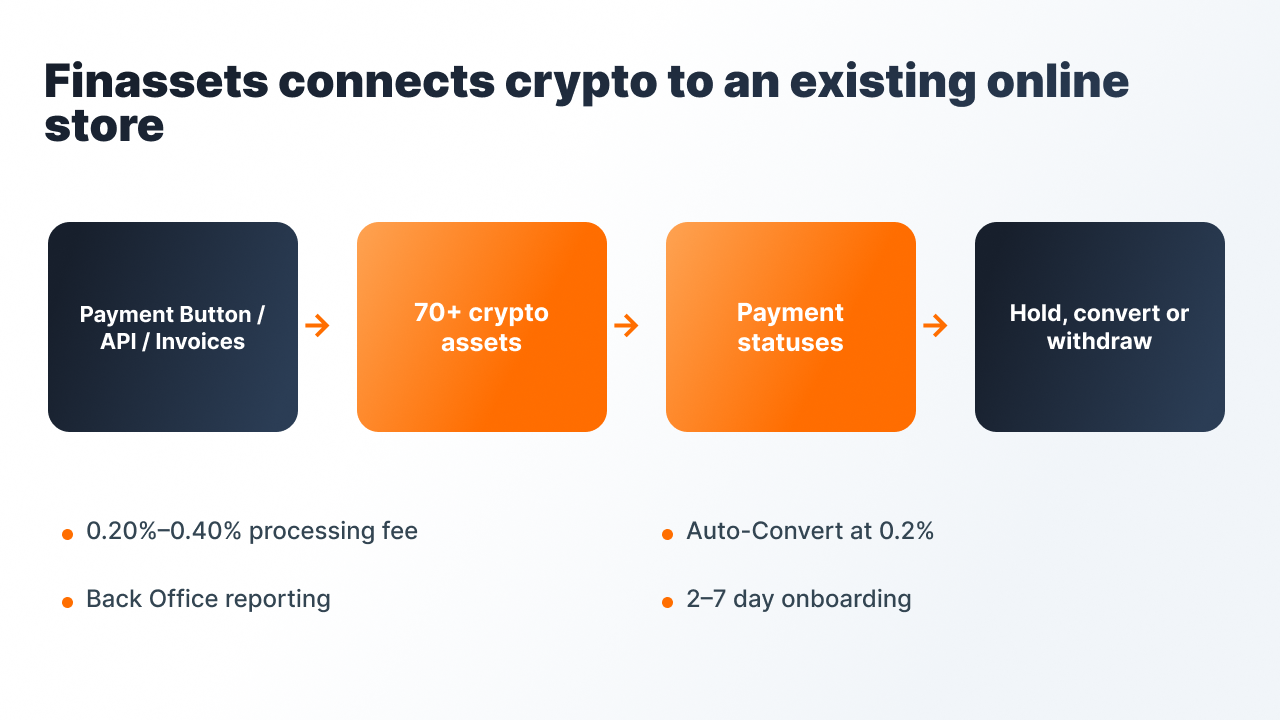
Finassets lets you connect crypto payment via Payment Button, API, or invoices
- Payment Button for platforms where code can be inserted.
- Checkout API for a custom checkout and automatic status delivery via webhook.
- Invoices for B2B and orders outside the standard cart.
- 70+ crypto assets, including BTC, ETH, USDT, and USDC across several networks.
- Auto-Convert for automatic conversion, 0.2% fee.
- Fee from 0.40% down to 0.20% depending on volume. Terms are fixed in the contract.
- Back Office with payment statuses and report exports.
- Onboarding from 2 to 7 business days. The timeline depends on KYB and compliance review.
- Registered in Panama.
See the Finassets solution for eCommerce
Start with a small launch and test demand
For a first test, one or two stablecoins on cost-appropriate networks and one connection method via Payment Button or API are enough.
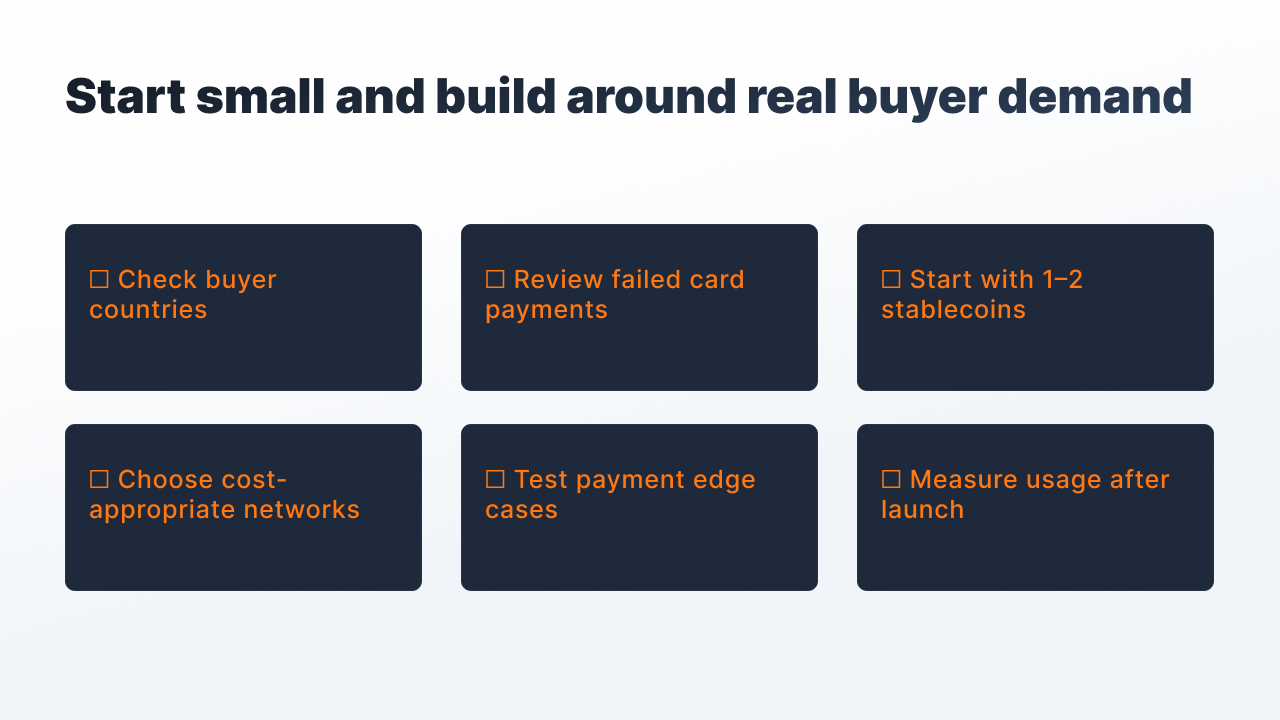
After launch, you can spend a month looking at how many buyers choose cryptocurrency, which networks they use, and what share of payments it takes.