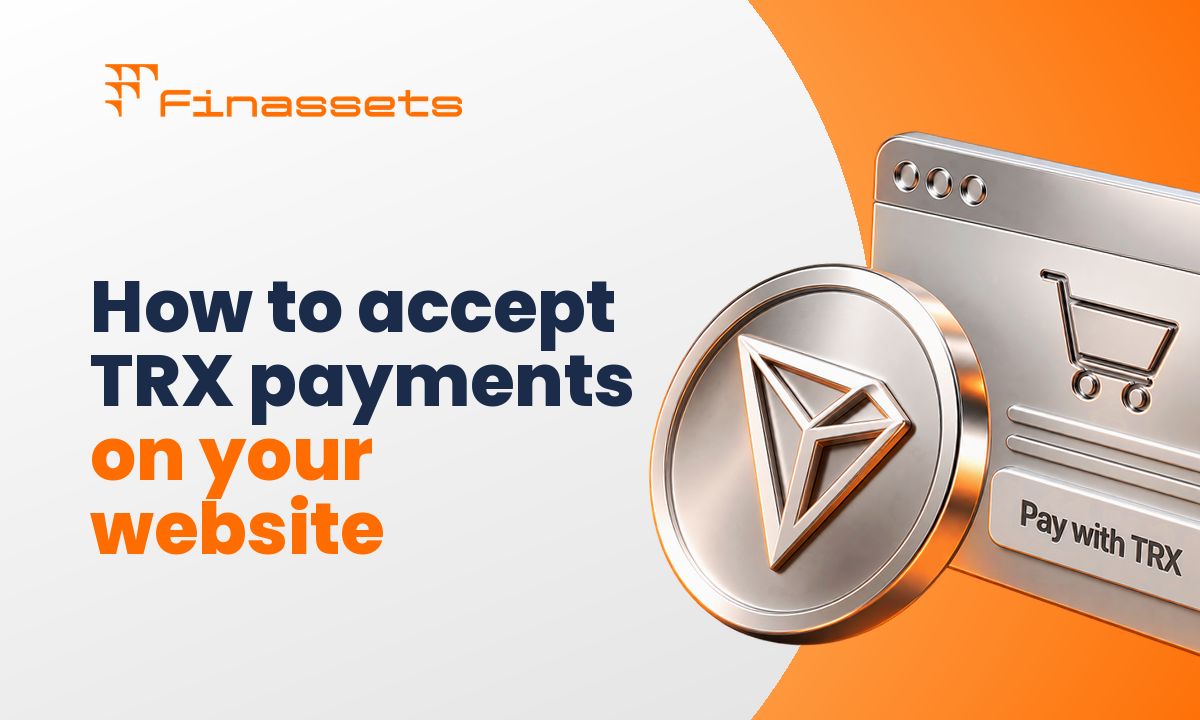
What is a TRX payment gateway? A TRX payment gateway is a payment system that allows businesses to accept TRX, the native cryptocurrency of the TRON blockchain, through a website or online checkout. It connects a customer’s TRX payment with the merchant’s payment flow, allowing the business to process and track TRX transactions as online payments.
A customer reaches your checkout and wants to pay with TRX from a TRON wallet. If your website only accepts cards, bank transfers, or other cryptocurrencies, that customer needs another payment method. For businesses with a crypto-native audience, this creates unnecessary payment friction.
Accepting TRX directly without a structured payment flow creates another problem. Your business needs a way to connect payments with the correct customer or order. Manually checking wallet addresses, transaction hashes, payment amounts, and transaction status becomes difficult as payment volume grows.
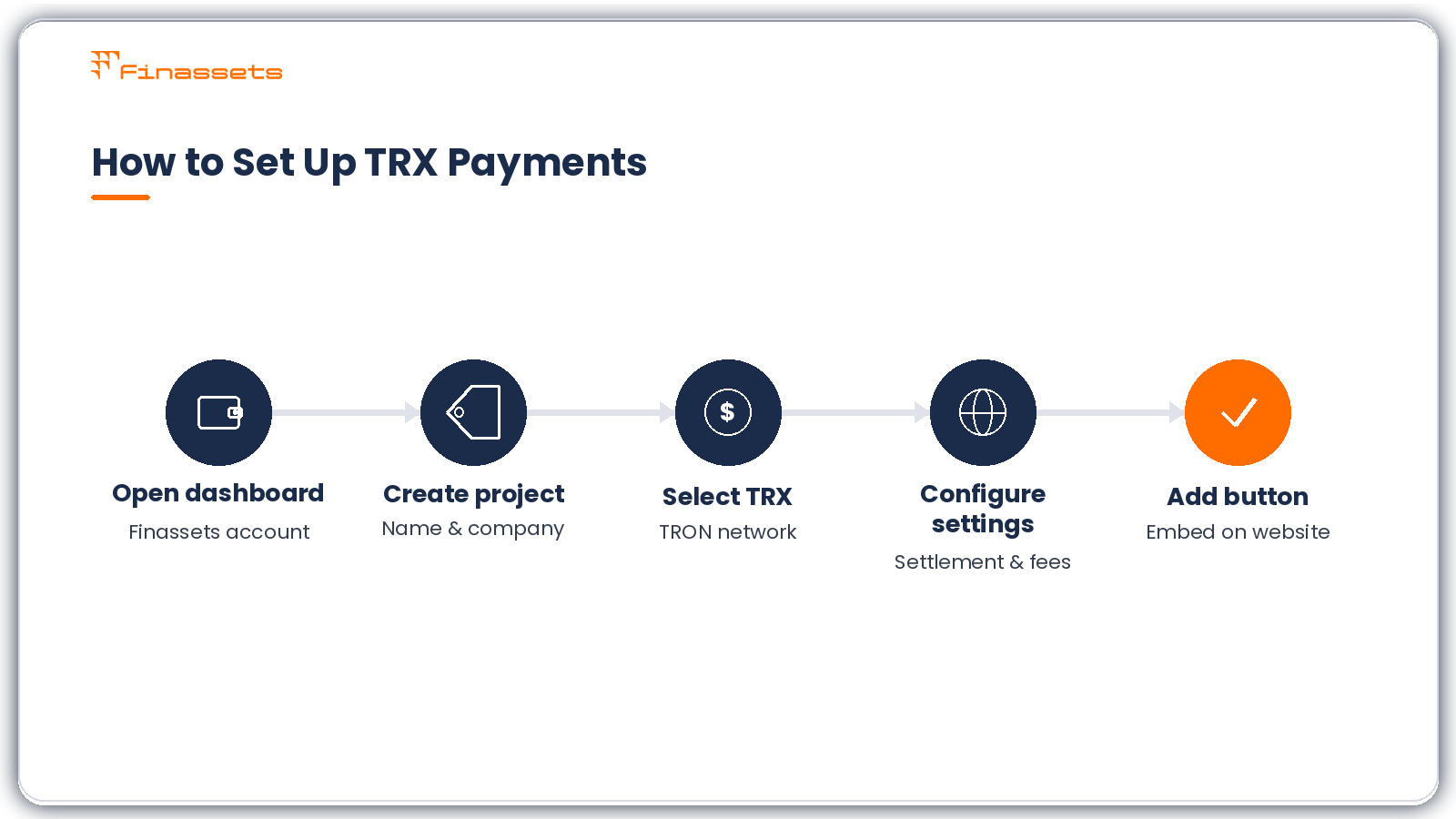
A TRX payment gateway provides a structured payment flow between the customer's TRON wallet and your website. With Finassets crypto payment gateway, you can configure TRX as a payment option, choose the TRON network, define payment settings, and add the generated payment button to your website. This guide explains how to set it up and what merchants should understand before accepting TRX payments.
What are TRON and TRX?
TRON is a blockchain network for transferring digital assets and running smart contracts and decentralized applications. TRX is the native cryptocurrency of the TRON network. It is used for transfers, staking, network resources, governance, and other activity within the TRON ecosystem.
TRX should not be confused with a TRC20 token. TRX is the network's native asset, while TRC20 is a smart-contract token standard used by assets issued on TRON.
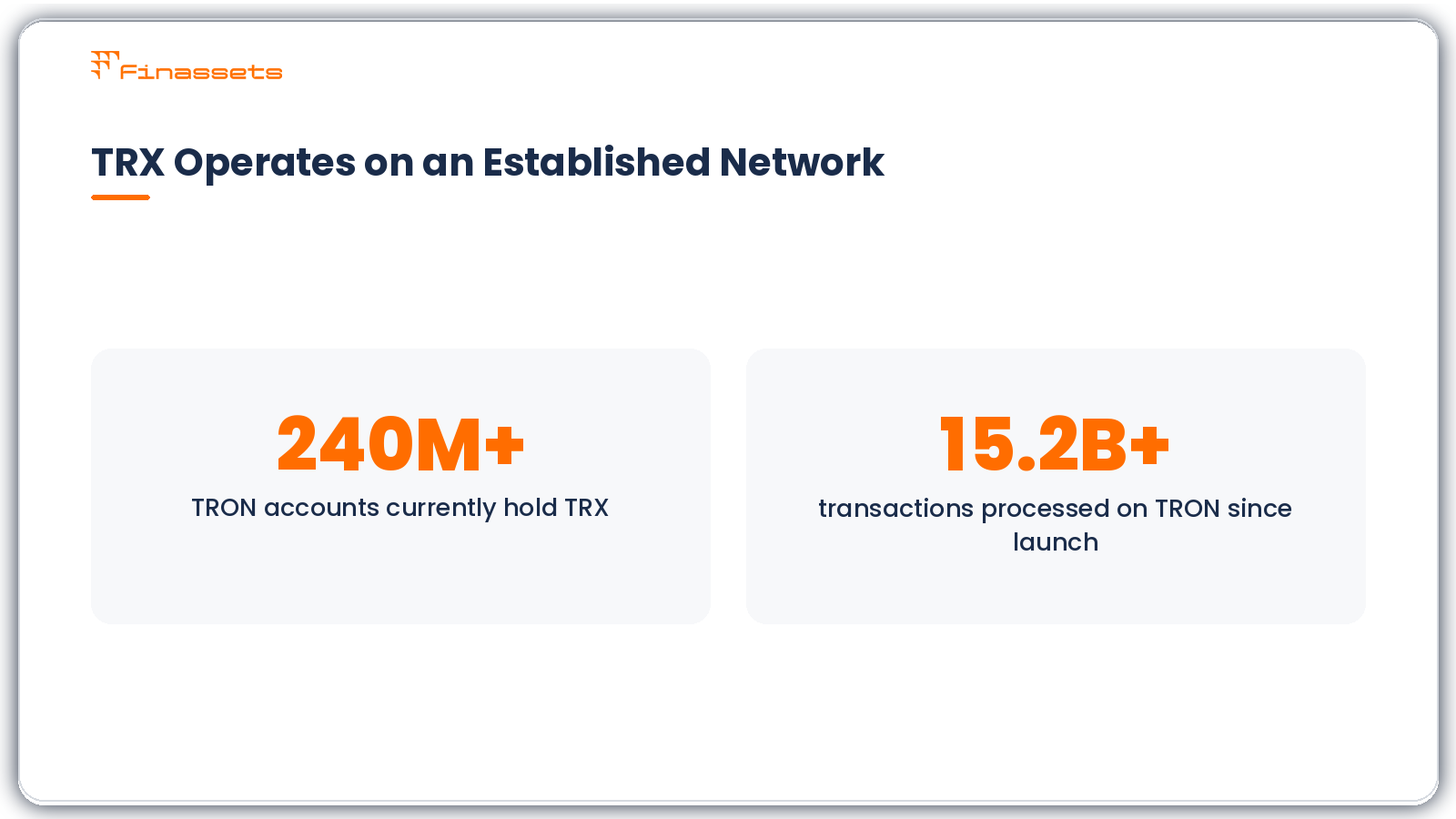
For merchants, TRX is relevant because it already has a substantial base of existing holders. According to TRONSCAN, more than 240 million TRON accounts currently hold TRX. TRON has also processed more than 15.2 billion transactions since the network began operating. These figures do not mean that every TRX holder is a potential customer, but they show that TRX operates within an established and actively used blockchain network.
TRX also has a functional role in how TRON processes transactions. TRON uses two main network resources: Bandwidth covers the byte size of blockchain transactions, while Energy covers the computation required to execute smart contracts. TRX can be staked to obtain these resources. If an account does not have enough available resources, TRX can be burned to cover the shortfall.
For a merchant accepting native TRX, this distinction matters. A standard TRX transfer primarily requires Bandwidth, while TRC20 token transfers involve smart contracts and therefore also require Energy.
|
Term |
What it means |
|
TRON |
The blockchain network |
|
TRX |
TRON's native cryptocurrency |
|
TRON wallet |
A wallet capable of holding and sending TRX |
|
Bandwidth |
Network resource used for transaction data |
|
Energy |
Network resource used for smart-contract execution |
|
TRC20 |
Smart-contract token standard on TRON |
|
TRX transaction |
An on-chain transfer of native TRX |
How to accept TRX payments
Finassets crypto payment gateway provides an API and payment-button integration for businesses that want to accept TRX payments on a website. You configure the payment project in your Finassets business account and then place the generated embed code on your website.
Video tutorial: How to accept TRX payments on your website
Step 1: Open your Finassets business account
Sign in to your Finassets business account and open the main dashboard.
Select Payment Button from the dashboard.
This is where you start configuring the TRX payment option for your website.
Step 2: Create a TRX payment project
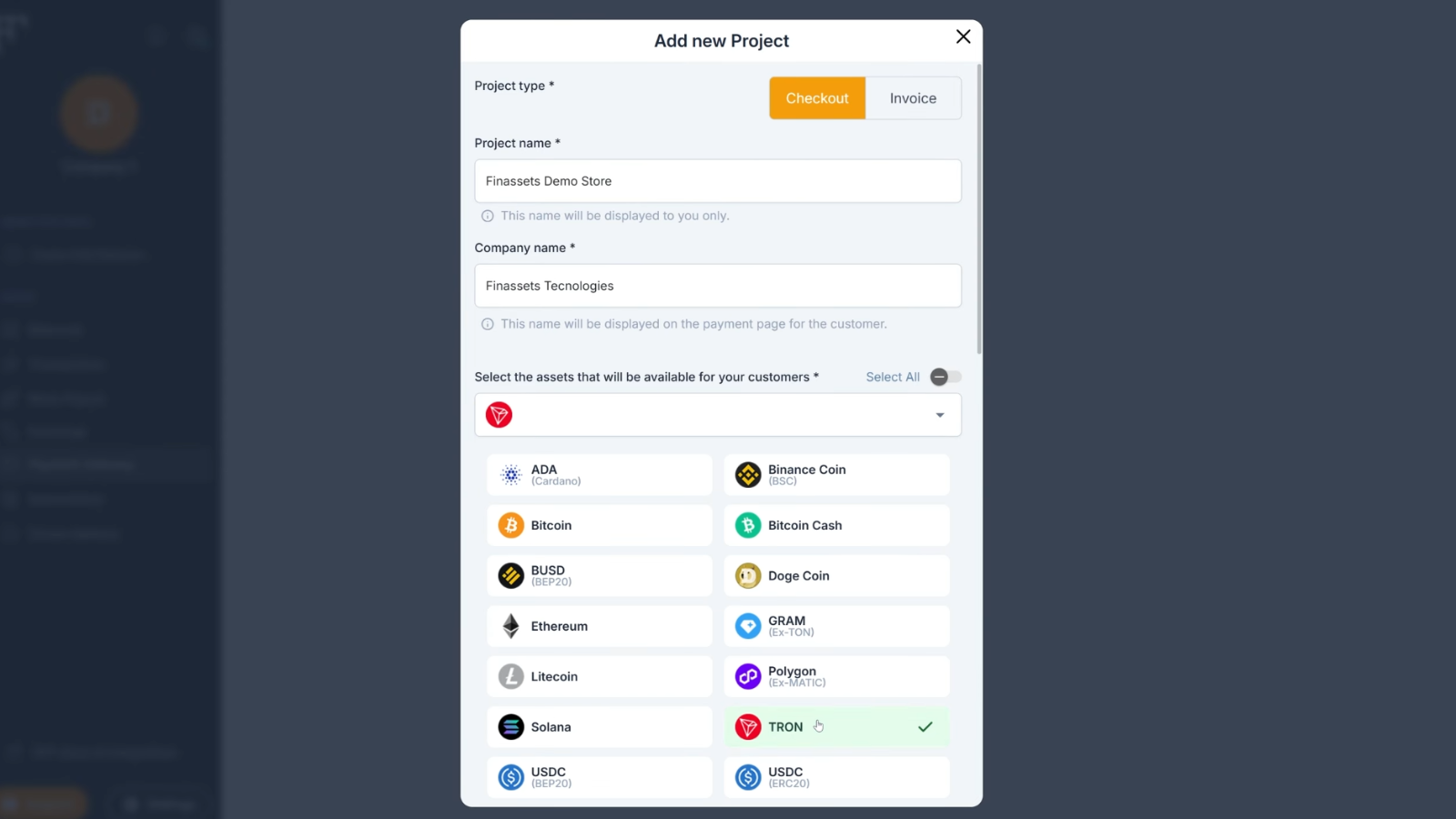
Click Add Project. Enter your project name and company name. These details identify the payment project and the business associated with it. If you operate more than one website or payment configuration, use a project name that makes the setup easy to identify later.
Step 3: Select TRX and the TRON network
Choose TRX as the cryptocurrency payment option.
Then select the TRON blockchain network for the TRX payment. This is an important distinction for customers. The payment request must correspond with the correct cryptocurrency and blockchain network. A customer should always check the selected asset, network, destination address, and amount before sending funds.
Step 4: Configure settlement, fees, and invoice settings
Complete the remaining project settings:
- Choose the settlement currency.
- Select whether the merchant or customer pays the transaction fees.
- Set the invoice payment time period.
- Set the rate update interval.
- Enter the website URL where you will use the payment button.
The rate and invoice settings are particularly relevant for TRX because TRX is not a stablecoin. Its value relative to USD, EUR, and other fiat currencies can change while an invoice remains open.
A defined invoice period and rate update policy therefore help the business maintain a consistent relationship between the TRX amount requested and the value of the underlying order.
Step 5: Generate and add the payment button
After checking the project configuration, click Add to create the project.
Finassets generates payment button embed code for the configured project. Copy that code and paste it into the relevant location on your website.
Depending on your checkout design, that may be the:
- checkout page;
- payment section;
- product or service page.
Test the implementation before making it available to customers. Check that the payment option appears in the intended location and that the payment flow uses the TRX and TRON settings you configured.
Step 6: Start accepting TRX payments
Once the payment button is implemented, customers can select TRX and proceed with the crypto payment.
Your website now has a dedicated TRX payment method for customers who already hold TRX and want to pay through the TRON network.
This should be viewed as an additional payment rail rather than a replacement for every existing payment method. Its value depends on whether your customers actually use TRX and crypto wallets.
How a TRX payment works from checkout to confirmation
Understanding the transaction flow is important for both customer support and payment reconciliation.
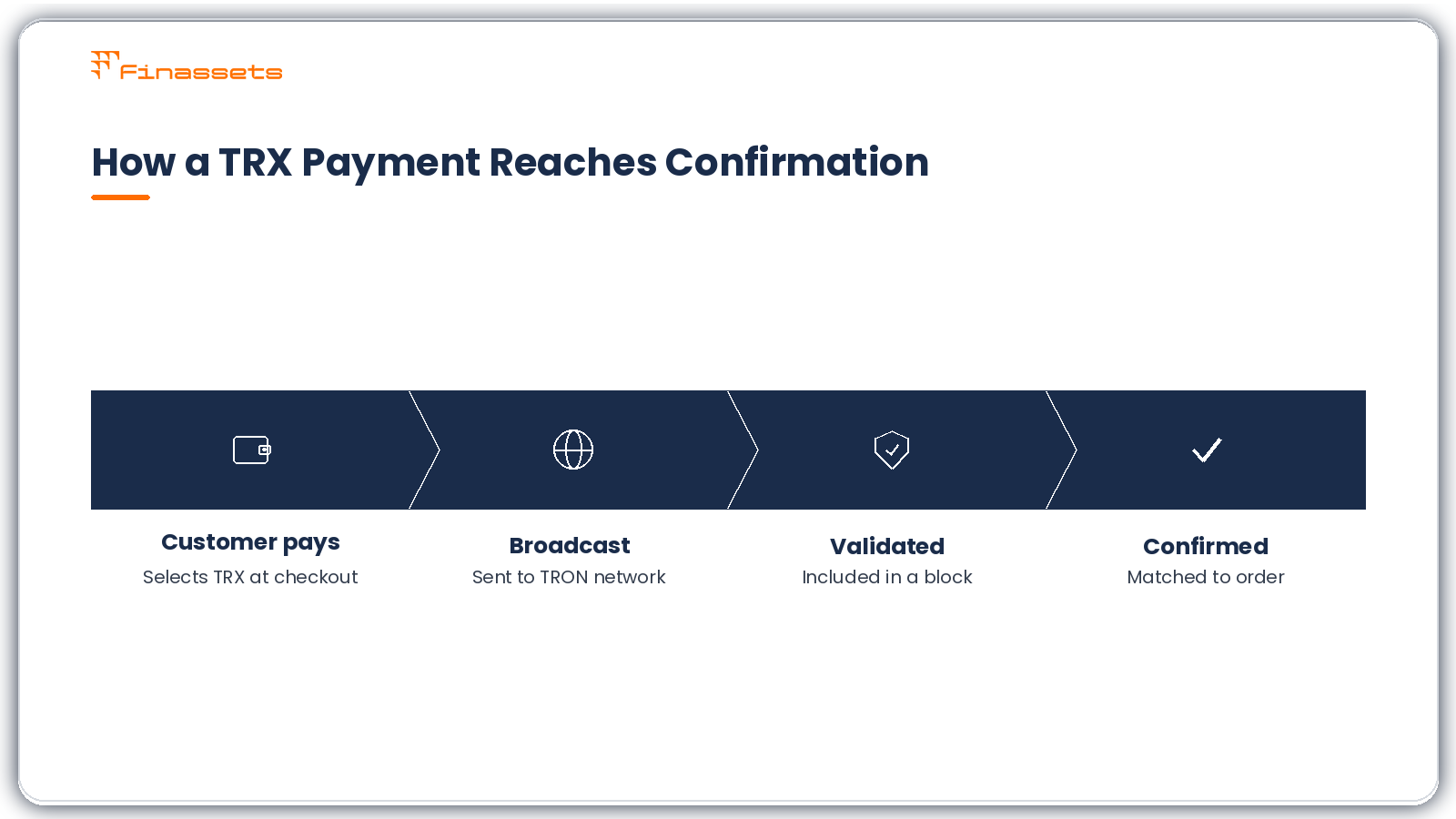
A typical TRX payment can be represented as follows:
- The customer selects TRX at checkout.
- The payment flow provides the information required to make the payment.
- The customer initiates the payment from a compatible TRON wallet.
- The TRX transaction is broadcast to the TRON network.
- The network validates and includes the transaction in a block.
- The transaction progresses toward blockchain confirmation.
- The payment can then be associated with the relevant merchant payment or order according to the gateway's payment flow.
A transaction hash provides a unique reference for an on-chain transaction and can be useful when investigating a payment.
Merchants should also distinguish between a transaction being broadcast, being included in a block, and reaching the confirmation state required by their payment process. Blockchain payments should not be described as “instant” simply because a wallet displays a transaction shortly after it is submitted.
TRX payment fees depend on TRON network resources and gateway settings
There is no useful universal statement that every TRX payment has the same transaction cost.
TRON uses a resource model based partly on Bandwidth and Energy. A standard TRX transfer primarily consumes Bandwidth. Smart-contract interactions can also consume Energy. Accounts receive a Bandwidth allowance and can obtain additional resources by staking TRX. If the required resources are unavailable, the protocol can burn TRX to cover them.
Network parameters can change. For this reason, merchants should not build pricing decisions around an old fixed TRON transaction-fee figure.
There is also a separate commercial question: who bears the applicable payment costs? The Finassets project configuration lets you choose whether the merchant or customer pays transaction fees.
|
Cost consideration |
What the merchant should check |
|
TRON network resources |
Available Bandwidth and, where relevant, Energy |
|
Network parameters |
Current TRON parameters rather than historical fee claims |
|
Gateway costs |
Current Finassets commercial terms |
|
Fee responsibility |
Whether merchant or customer pays |
|
TRX/fiat rate |
Rate used when the underlying price is denominated in fiat |
When does accepting TRX make sense for a business?
A TRON payment gateway is most relevant when there is a meaningful overlap between your customers and TRX holders.
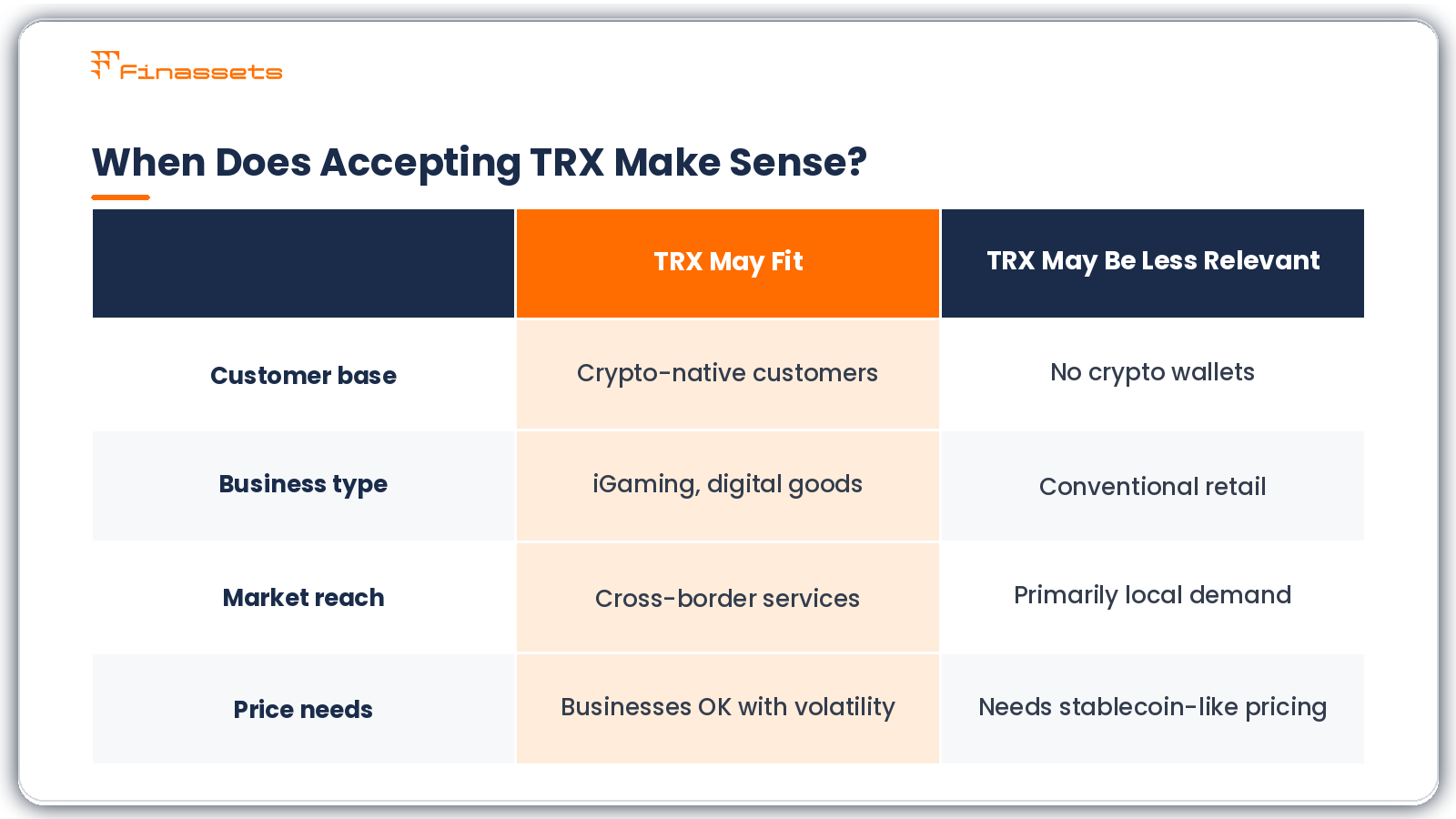
This can apply to iGaming businesses, digital goods platforms, high-risk merchants, cross-border businesses, and services with crypto-native audiences. These customers are more likely to already have a crypto wallet and understand how an on-chain payment works.
The case is weaker for a conventional online store whose customers primarily use cards or local bank payment methods. Adding a cryptocurrency payment option does not itself prove that conversion will increase.
TRX also introduces price exposure that merchants should consider. Unlike a USD-pegged stablecoin, the market value of TRX can move relative to USD or EUR. Businesses pricing products in fiat therefore need to understand the rate, invoice period, settlement configuration, and any conversion involved in their specific setup.
What a TRX payment gateway gives a merchant — and what it does not
A payment gateway solves the operational problem of connecting cryptocurrency payments with a business payment process. It does not remove every risk associated with cryptocurrency.
|
A TRX payment gateway can provide |
It does not mean |
|
A structured TRX payment option |
Every customer wants to pay with TRX |
|
A website payment flow |
TRX has a stable fiat value |
|
Defined payment configuration |
Every transaction has the same network cost |
|
Blockchain-based payment acceptance |
Cryptocurrency eliminates fraud |
|
Less dependence on card rails for these payments |
A gateway can never discontinue service |
|
An additional payment method |
TRX automatically improves conversion |
TRX transactions also differ from card payments. A confirmed blockchain transfer does not use the card-network chargeback mechanism. That removes conventional card chargebacks from the TRX payment itself, but it does not eliminate stolen-wallet activity, scams, customer disputes, incorrect transfers, or operational errors.
Before you accept TRX payments: merchant checklist
Before enabling live TRX payments, confirm the operational details rather than treating integration as only a technical task.
- Confirm that your customers actually use TRX.
- Create the TRX payment project in your Finassets business account.
- Select TRX and the correct TRON network.
- Choose the appropriate settlement currency.
- Decide whether the merchant or customer pays transaction fees.
- Define the invoice payment period.
- Configure the rate update interval.
- Add and verify the correct website URL.
- Test the payment button and customer payment flow.
- Define internal procedures for payment verification, reconciliation, refunds, accounting, and compliance.
Legal, tax, accounting, AML, and other regulatory obligations depend on the merchant's jurisdiction and business model. Businesses should evaluate these requirements before accepting cryptocurrency payments.
Test the TRX payment setup using the Finassets free demo
You can test the Finassets payment flow before configuring TRX payments for a live website.
👉 Try the Finassets free crypto payment gateway demo.
The demo lets you explore the payment setup and Finassets dashboard without making a financial commitment. No credit card or identity verification is required for demo access.
Enter your email to receive login credentials and explore how the payment setup works before implementing the TRX payment option on your website.
Why Choose Finassets for TRX Payment Solutions?
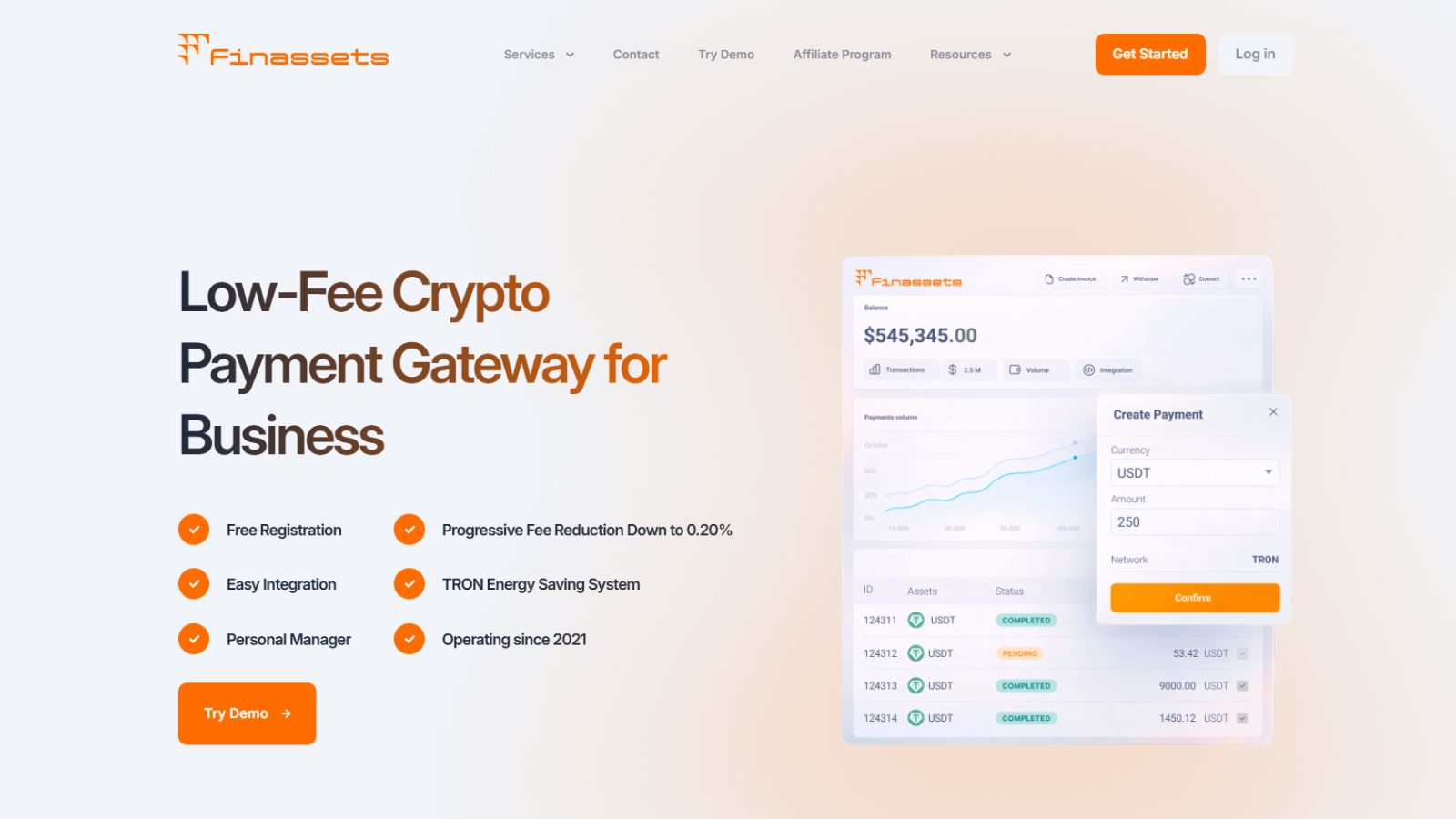
Finassets is a Panama-registered B2B crypto payment infrastructure provider operating since 2021. It focuses on cross-border and crypto-driven businesses, including iGaming, e-commerce, affiliate payout platforms, Web3 projects, and high-volume online businesses.
For merchants that want to accept TRX, Finassets combines TRON support with payment infrastructure for accepting, managing, and tracking cryptocurrency payments. The platform supports 70+ cryptocurrencies and stablecoins across multiple blockchain networks.
Processing Fees Start at 0.40% and Decrease With Volume
Finassets uses a volume-based processing fee structure. The current rate starts at 0.40% and decreases to 0.20% as monthly transaction volume increases.
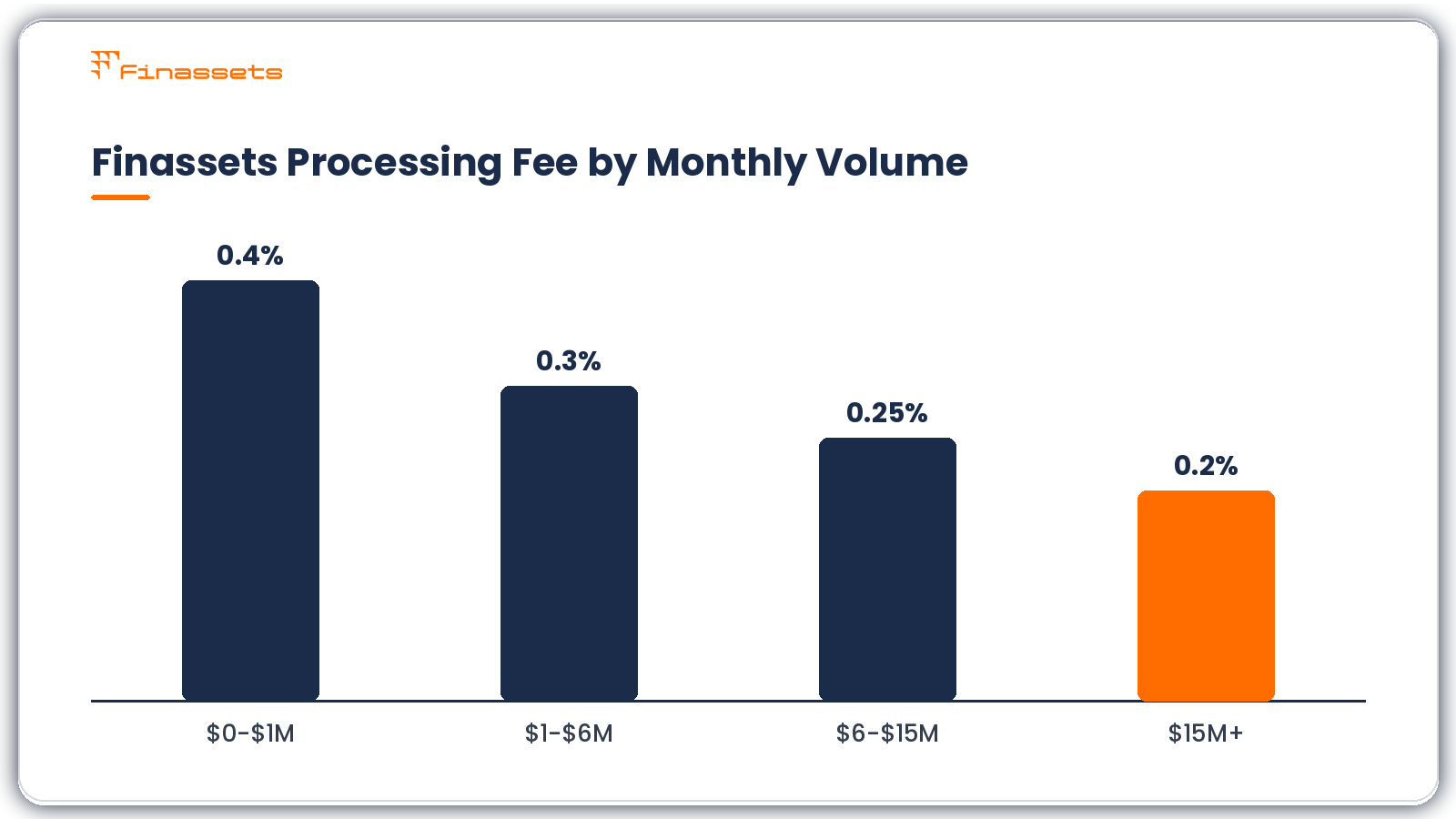
These are payment processing fees. Blockchain network costs should be considered separately because they depend on the cryptocurrency, network, transaction type, and network conditions.
Multiple Crypto Payment Services in One Platform
TRX payments do not need to operate as an isolated wallet-to-wallet process. Finassets provides several payment tools that businesses can use according to their checkout and operational requirements.
Available services include crypto checkout, payment buttons, payment links, API integration, crypto invoices, mass payouts, B2B crypto exchange, and crypto-to-stablecoin auto-conversion. A merchant can therefore choose a ready-made payment flow or connect cryptocurrency payments more deeply with its existing platform.
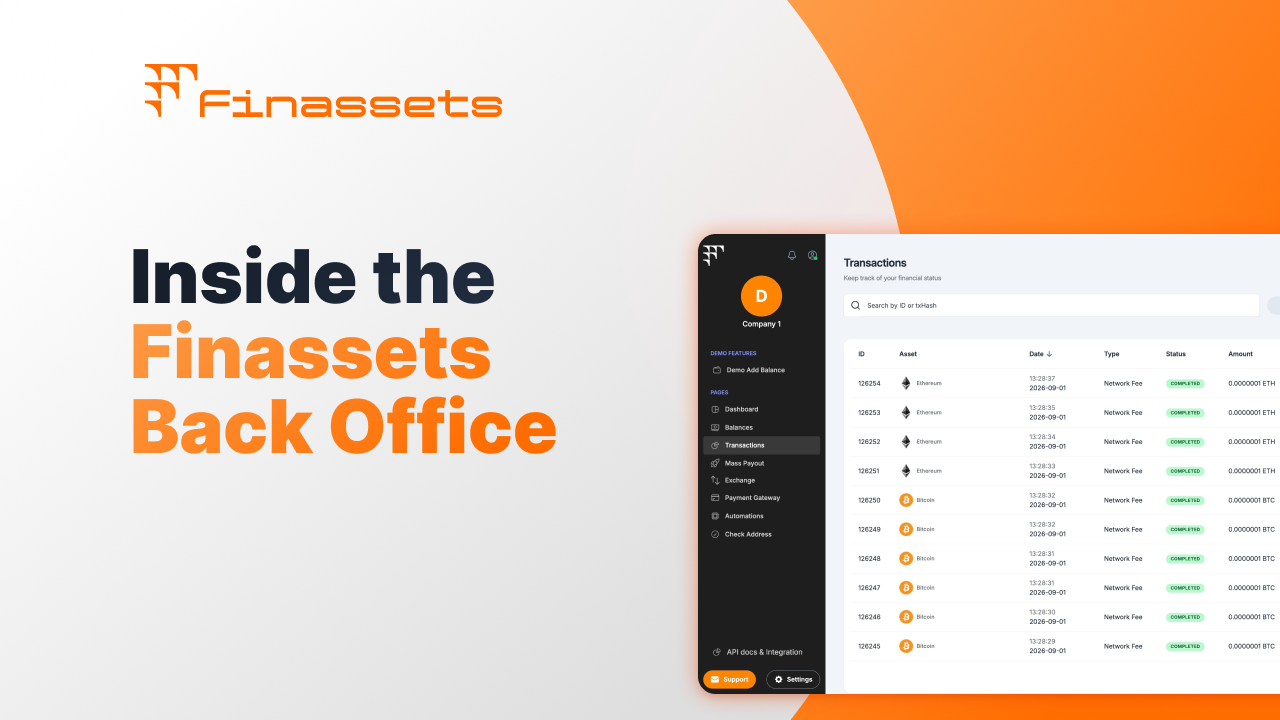
Finassets also provides a dashboard with transaction, fee, and payment-status visibility, helping finance and operations teams reconcile crypto payment activity.
Support for TRX and 70+ Cryptocurrencies
Finassets supports TRX alongside more than 70 cryptocurrencies and stablecoins. Supported assets include Bitcoin (BTC), Ethereum (ETH), Tether (USDT), USD Coin (USDC), Solana (SOL), and TRX.
For the payment flow described in this guide, the merchant selects TRX as the cryptocurrency and TRON as the blockchain network.
This distinction matters because TRX is TRON's native cryptocurrency. TRC-20 assets, such as USDT issued on TRON, use smart contracts and have different network-resource requirements.
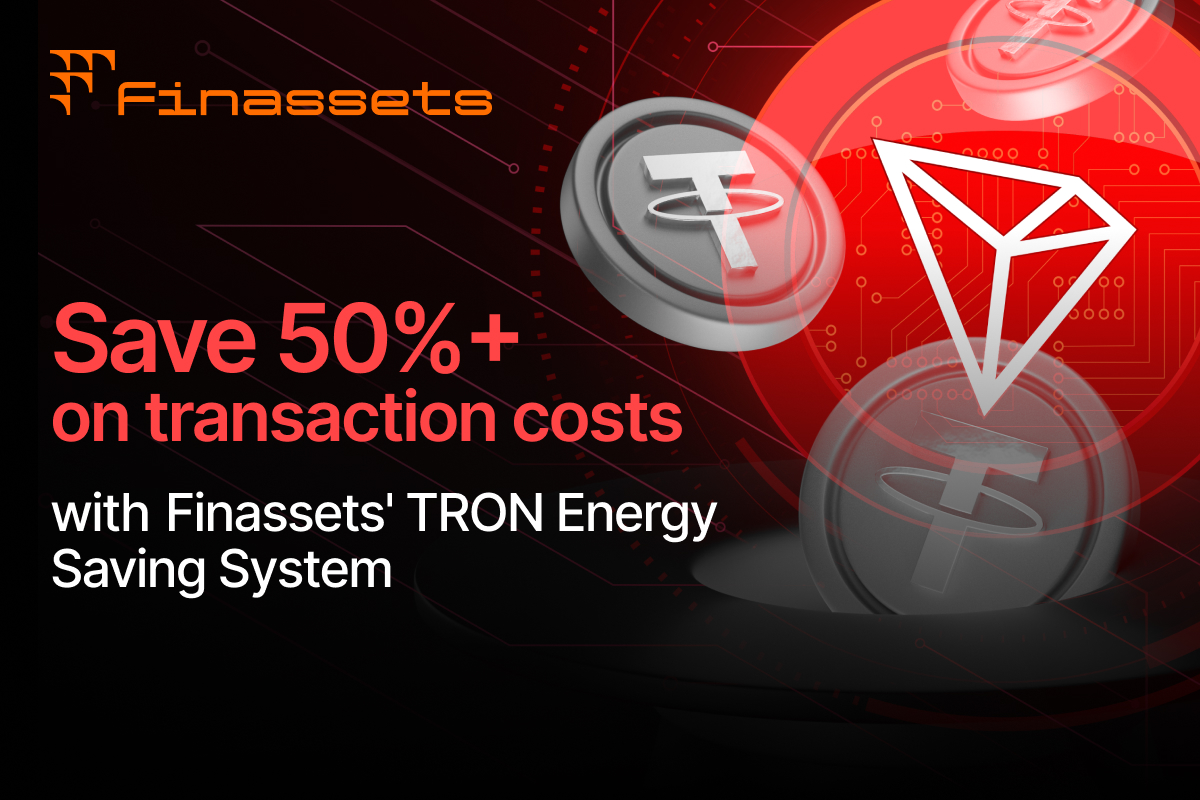
TRON Energy Optimization Can Reduce TRC20 Network Costs
Finassets has developed a TRON Energy optimization system for TRC20 transactions. Instead of relying entirely on burning TRX when Energy is required, Finassets uses pre-purchased Energy.
According to Finassets, this model can reduce client network costs by up to 50%, depending on Energy availability and network conditions.
This benefit needs an important qualification in a TRX article: the Energy optimization applies to TRC20 smart-contract transactions, not standard native TRX transfers. A regular TRX transfer primarily consumes Bandwidth, whereas TRC-20 transfers also require Energy.
For a business that accepts both TRX and TRC20 assets such as USDT, the system can therefore reduce the network-cost component of its TRC20 payment operations.
Built for B2B Crypto Payment Operations
Finassets is designed around business payment operations rather than consumer crypto trading. Its infrastructure includes a sandbox environment, API documentation, payment monitoring, wallet infrastructure, and security controls such as 2FA, role-based access control (RBAC), and MPC-based wallet technology.
This makes the proposition broader than simply receiving TRX at a wallet address. Merchants can integrate TRX into a structured payment environment while retaining visibility into transactions, fees, and payment statuses.
For businesses with an existing crypto-native, cross-border, iGaming, digital-goods, or high-volume audience, Finassets provides a way to add TRX alongside other cryptocurrency payment methods without building the complete payment infrastructure internally.
What Finassets provides for businesses accepting TRX
Finassets combines the TRX payment method with merchant payment infrastructure. Instead of asking customers to transfer TRX to a wallet and then reconciling every transaction manually, the business can configure a payment project for its website.
The relevant capabilities depend on the Finassets product and configuration being used.
|
Finassets capability |
Operational purpose |
|
TRX payment support |
Lets customers use TRX as a payment option |
|
TRON network support |
Processes the payment on the correct blockchain network |
|
Adds the configured payment option to a website |
|
|
Settlement currency setting |
Lets the merchant define the settlement currency for the project |
|
Fee responsibility setting |
Defines whether the merchant or customer covers transaction fees |
|
Invoice time period |
Limits how long the quoted payment request remains active |
|
Rate update interval |
Controls how frequently the payment rate is updated |
|
Project configuration |
Separates payment settings for a specific website or project |
|
Generated embed code |
Connects the configured payment button with the merchant website |
|
Business dashboard |
Gives the merchant a central interface for configuring the payment project |
|
API integration |
Finassets offers a robust crypto payment API designed for seamless payment integration. |
These functions address a specific operational problem. A business can offer TRX without relying on an unmanaged wallet-to-wallet payment process.
They do not mean that TRX is suitable for every merchant. TRX remains a market-priced crypto asset, network costs can vary, and customers need access to TRX before they can use it as a payment method.
For businesses serving crypto-native, iGaming, digital goods, high-risk, or cross-border audiences, the relevant benefit is therefore an additional structured payment rail for customers who already want to pay with TRX.
Start accepting TRX payments with Finassets
For a business with customers who already accept TRON payments, accepting TRX adds another way to complete an online payment without forcing those customers onto a card or bank-payment rail.
With Finassets, the setup starts in the Payment Button section of your business account. Create a project, select TRX and the TRON network, configure settlement and invoice settings, generate the embed code, and add it to your website.
The relevant question is not whether every online business should accept cryptocurrency. It is whether TRX is a payment method your customers already want to use. When the answer is yes, a structured TRX payment gateway can make those payments easier for the business to manage.
👉 Create a Finassets business account and configure your TRX payment project.
Article details
- Last updated: October 15, 2026
- Published by: Finassets
- Author: Alena K., Crypto Payment Solutions Specialist
- Category: TRX payment gateway, TRON payment gateway
- Reading time: 7–10 minutes
- Content type: Educational guide
- Audience: Businesses, merchants, SaaS companies, developers, and e-commerce owners exploring TRX payment solutions.
Editorial policy
This article is reviewed periodically to ensure the information remains accurate and reflects the latest developments in cryptocurrency payments, blockchain networks, stablecoins, and payment gateway technologies. Content is based on publicly available documentation, industry best practices, and practical payment infrastructure knowledge. It is intended for informational purposes only and does not constitute financial, legal, or investment advice.