By Alena K., payments content, covering crypto processing for iGaming, eCommerce and forex operators.
A forex broker can add cryptocurrency as a separate way to deposit and withdraw funds alongside cards and bank transfers. The trader gets one more way to send and receive money. The broker gets an additional payment channel that runs through a crypto provider and blockchain networks.
Let's look at how crypto deposits and withdrawals work, how the payment system connects to the CRM, where funds are held, and how the broker tracks operations.
Cryptocurrency gives the broker an additional channel for deposits and withdrawals
A crypto forex broker is usually understood as a broker that accepts deposits and processes withdrawals in cryptocurrency alongside fiat payment methods.
The crypto channel has a few distinct features:
- A payment can't be reversed through a bank. A crypto transfer has no card chargeback.
- The operation runs through the blockchain. It doesn't depend on a card acquirer's operation.
- A transfer can be sent to the trader's crypto wallet. This makes payouts easier in countries where banking corridors are limited.
- The blockchain runs around the clock. There are no bank cut-off times or weekends for such transfers.
A crypto deposit goes from the trader's account to the trading account
The process looks like this:
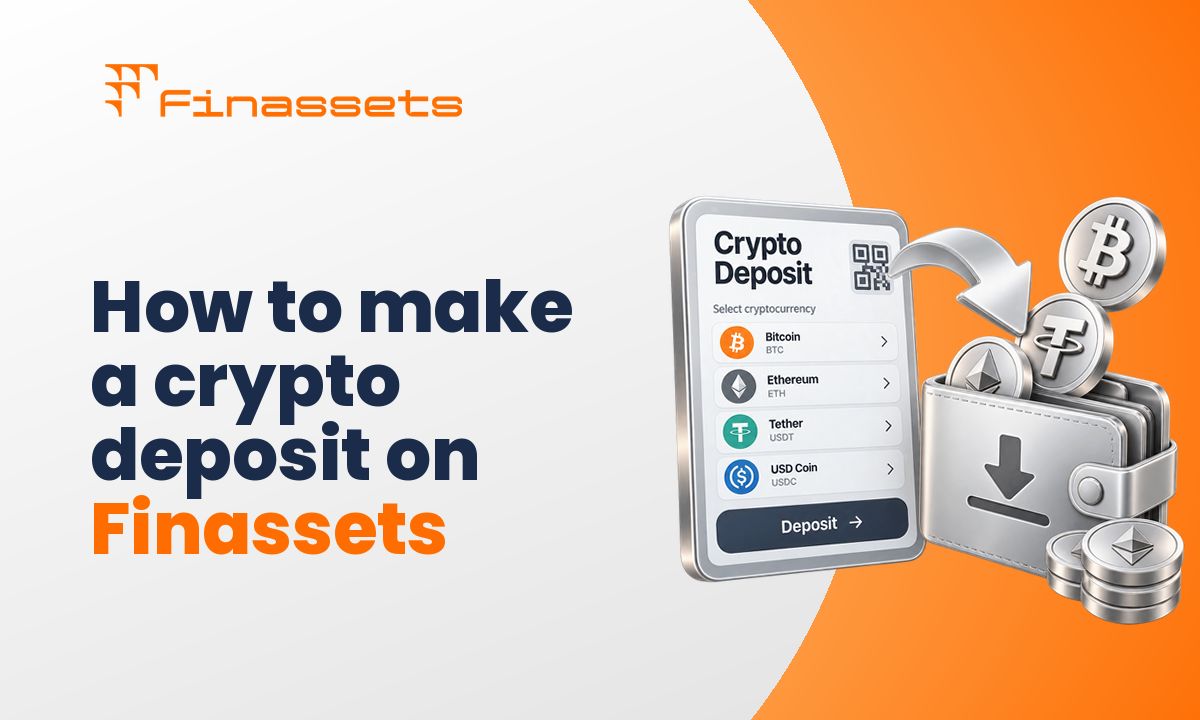
- The trader selects a deposit in cryptocurrency in their account.
- The broker's platform requests a deposit address for that trader from Finassets. If the address already exists, the API returns it. On the first request, a new one is created.
- The address and a QR code appear in the account. The trader sends the transfer.
- Finassets detects the transaction and sends the broker a webhook. The broker can save its own internal operation number in the ref ID field.
- Notifications arrive as the status changes. After the status COMPLETED, funds are credited to the broker's balance at Finassets. The broker then tops up the trader's trading account.
Every notification is signed. The broker's system should verify the Finassets signature before processing the webhook.
A crypto withdrawal is initiated from the broker's system and tracked by status
- The trader creates a withdrawal request in their account.
- After approval, the broker's system sends Finassets the asset, network, amount, the trader's address, and the internal ref ID.
- Finassets sends the funds to the specified address.
- Status changes arrive via webhook until the status COMPLETED is received.
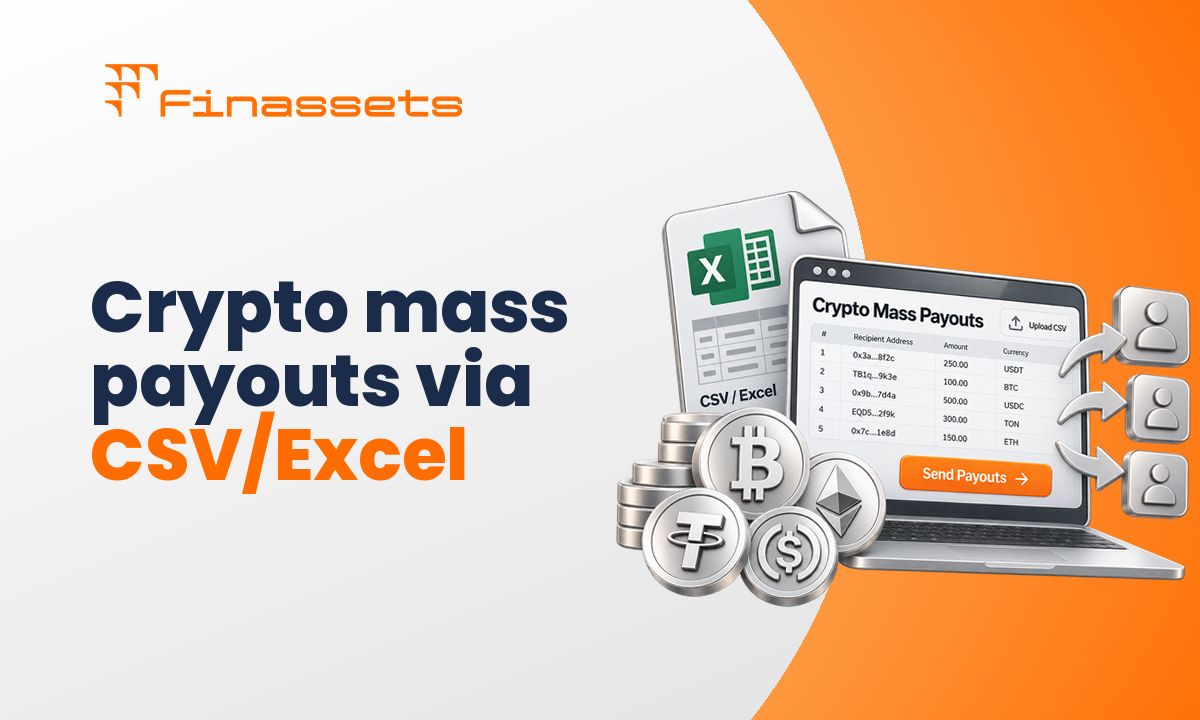
For a large number of payouts, Mass Payouts can be used. Payouts are created via API or a CSV upload and confirmed via 2FA.
We covered address verification, automation, and handling stuck payouts in more detail in the guide to crypto payouts for traders.
USDT and USDC usually cover the bulk of crypto payments
The set of assets can be chosen to fit the broker's audience.
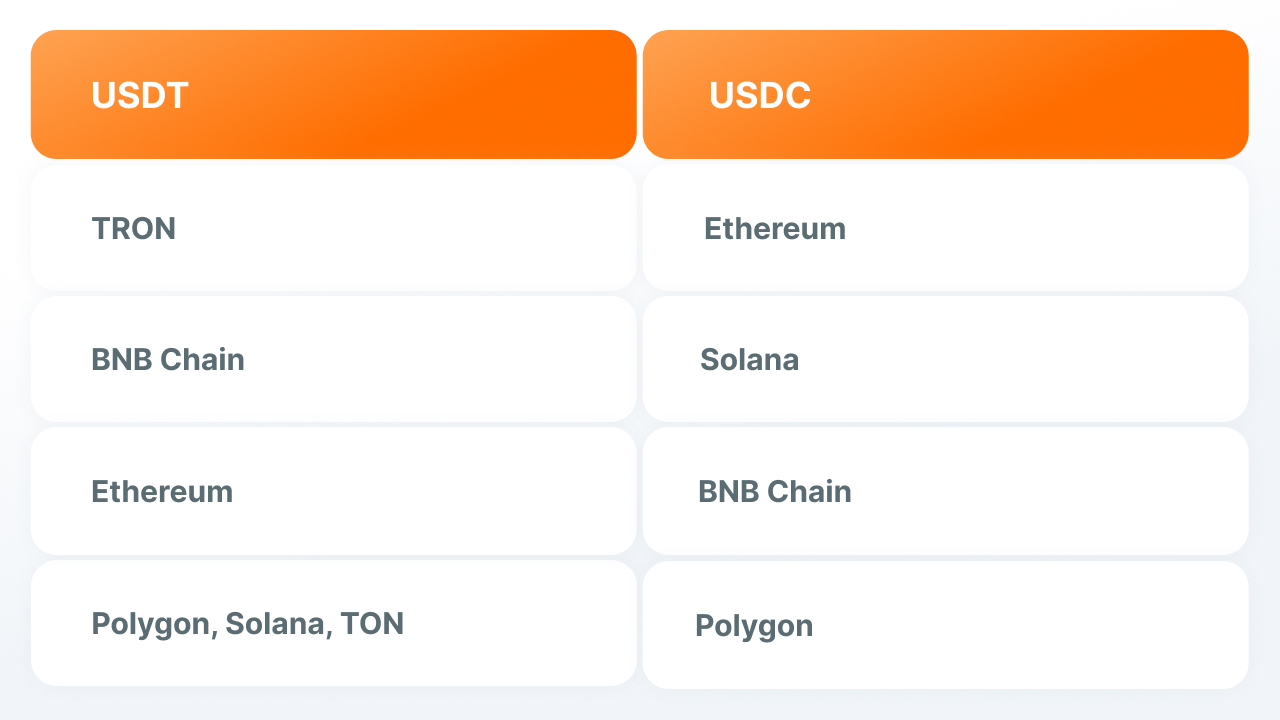
- USDT and USDC. The value of these assets is pegged to a fiat currency. USDT is available on TRON, BNB Chain, Ethereum, Polygon, Solana, and TON. USDC is available on Ethereum, Solana, BNB Chain, and Polygon.
- BTC, ETH, and other assets. These can be added if some traders use them. The transaction amount is calculated at the current rate.
- 70+ assets at Finassets. The needed currencies and networks can be connected depending on the broker's audience.
For USDT, TRON remains one of the main networks. According to CoinLaw, around $92.3 billion in USDT circulates on it (CoinLaw, Stablecoin Market Share by Chain Statistics).
For TRC20 transfers, Finassets uses the TRON Energy Saving System. Depending on Energy availability and network conditions, costs can be more than 50% lower compared to standard TRX burning.
The API links crypto payments to the CRM and the trading platform
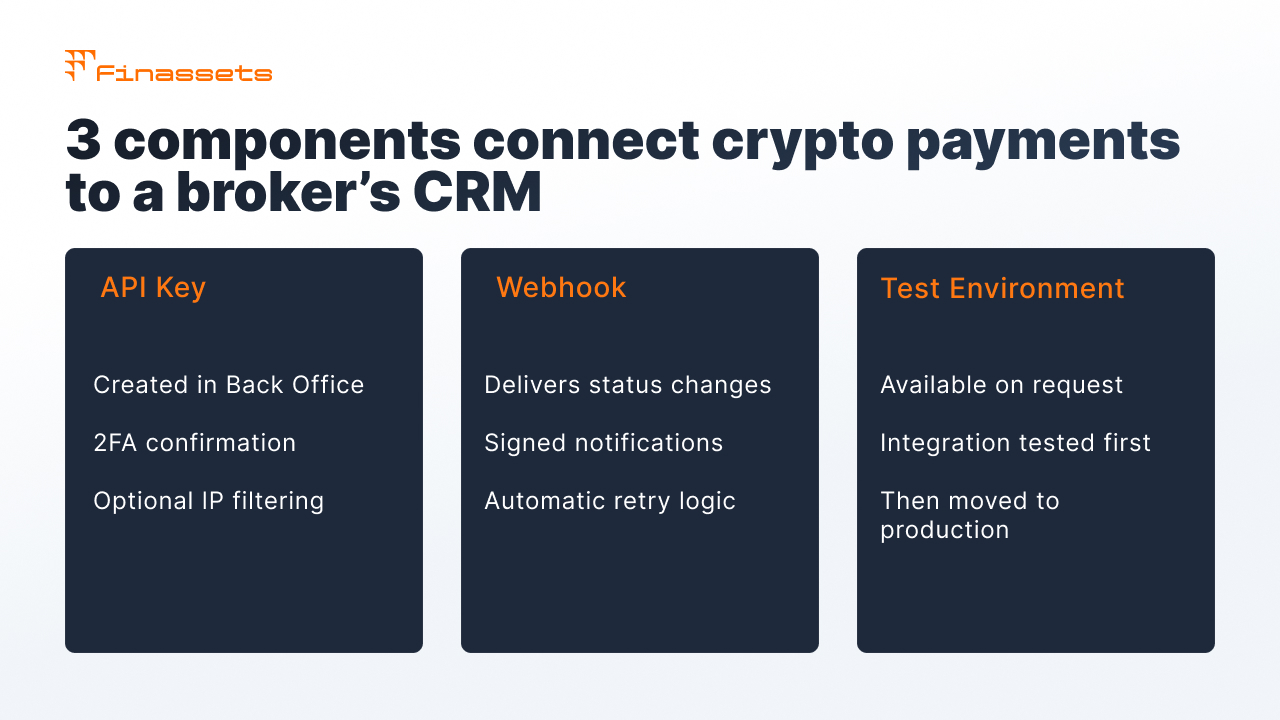
Integration is usually set up by the broker's IT specialist. Three main elements are needed to connect.
- API key. Created in Back Office by a user with the Owner or Manager role and confirmed via 2FA. IP filtering can be set up for the key. The Secret Key is shown once.
- Webhook URL. Finassets sends status changes to it. A notification is considered delivered after an HTTP 200 response within 30 seconds. If there's no response, the system retries sending at set intervals.
- Test environment. Access is provided on request to support. The integration is checked there first, then moved to production.
More on connecting can be found on the payment gateway API page.
Auto-Sweep and Auto-Convert help manage received funds
After crediting, the cryptocurrency stays on the broker's deposit balance in the asset it was paid in.
- Auto-Sweep automatically transfers funds from the deposit wallet to the withdrawal wallet once a set threshold is reached or after a set number of days.
- Auto-Convert automatically converts one asset into another. For example, BTC can be exchanged for a stablecoin.
- Whitelisted Addresses are used for withdrawal addresses.
- MPC, 2FA, and user roles are used to manage access to Back Office.
All deposits and withdrawals can be tracked in Back Office
Back Office shows deposits and withdrawals, their statuses, and history. Data can be filtered and exported to CSV.
The Dashboard shows Processed Volume and Pending Volume. These show the volume of completed operations and operations still being processed.
Incoming transactions go through automatic AML/KYT screening. Operations with red flags can be routed to manual review.
The crypto channel adds a separate route for the broker's payments
|
What the crypto channel provides |
What's still needed |
|
A crypto deposit isn't subject to card chargebacks |
The card channel stays tied to the acquirer's rules |
|
Stablecoins can be sent directly to the trader's wallet |
The trader needs a wallet or an exchange account |
|
Crypto deposits and withdrawals can keep working if there are card-processing issues |
The company still needs a bank account for fiat operations |
|
All crypto operations show up in Back Office |
The company goes through KYB before connecting |
Finassets combines deposits, withdrawals, and mass payouts in one integration
Finassets can be connected as a separate crypto channel within the broker's existing payment stack.
- Deposits and withdrawals via API with statuses via webhook and a ref ID for reconciliation with the CRM.
- Mass Payouts for bulk payouts.
- 70+ crypto assets, including USDT and USDC across several networks.
- TRON Energy Saving System to lower the cost of TRC20 transfers.
- Back Office with operation history, a Dashboard, and CSV export.
- Fee from 0.40% down to 0.20% depending on volume. Terms are fixed in the contract.
- Onboarding from 2 to 7 business days. The timeline depends on KYB and compliance review.
- Company registered in Panama.
You can start with registering at Finassets. A manager will contact you after registration.
We covered how to choose a crypto provider for a prop firm in a separate guide.
Finassets fits brokers who need a separate crypto channel
The solution fits brokers and prop firms who want to add cryptocurrency as a way to deposit and withdraw funds.
Before connecting, it's worth keeping a few conditions in mind:
- companies registered in the EU, UK, and US aren't connected;
- Finassets works only with cryptocurrency;
- card acquiring isn't provided;
- availability for a specific jurisdiction is confirmed during KYB and compliance review.
Crypto payments can be launched after registration and KYB
After registration, a Finassets manager will help you go through KYB and discuss the setup for connecting to your CRM and trading platform.