By Anastasiia M., payments content, covering crypto processing for iGaming, eCommerce, forex and prop trading.
A player sends a deposit, and the operator needs to quickly understand what's happening with it. This depends not only on the blockchain, but on the provider's platform too: which statuses it shows, how convenient it is to search for payments, and how fast Support can resolve a given problem.
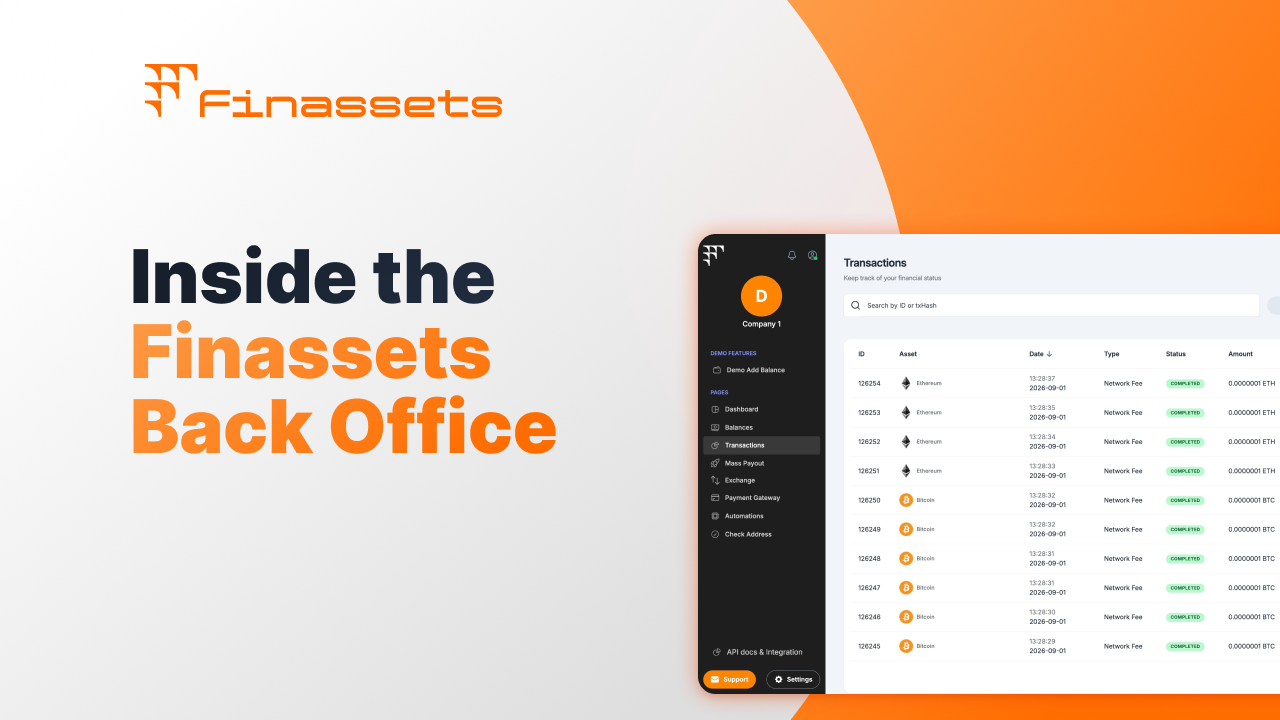
In this article, we look at how Back Office Finassets helps track transactions, monitor statuses, and resolve delays faster.
Where the delay happens between the blockchain and the processing dashboard
First, the network gathers the needed number of confirmations. After that, the payment system has to receive the transaction data, match it to a specific deposit or payout, and update the status in the interface.
If payments go to a shared wallet without being tied to a specific session, this matching can be done manually through a blockchain explorer.
|
What happened |
Where it's visible |
|
The transaction reached the required number of network confirmations |
Blockchain explorer: immediately |
|
The transaction was matched to a specific deposit or payout |
The provider's internal system: with a delay, if reconciliation is manual |
|
The status updated in the operator's dashboard |
Back Office: depends on whether this step is automated |
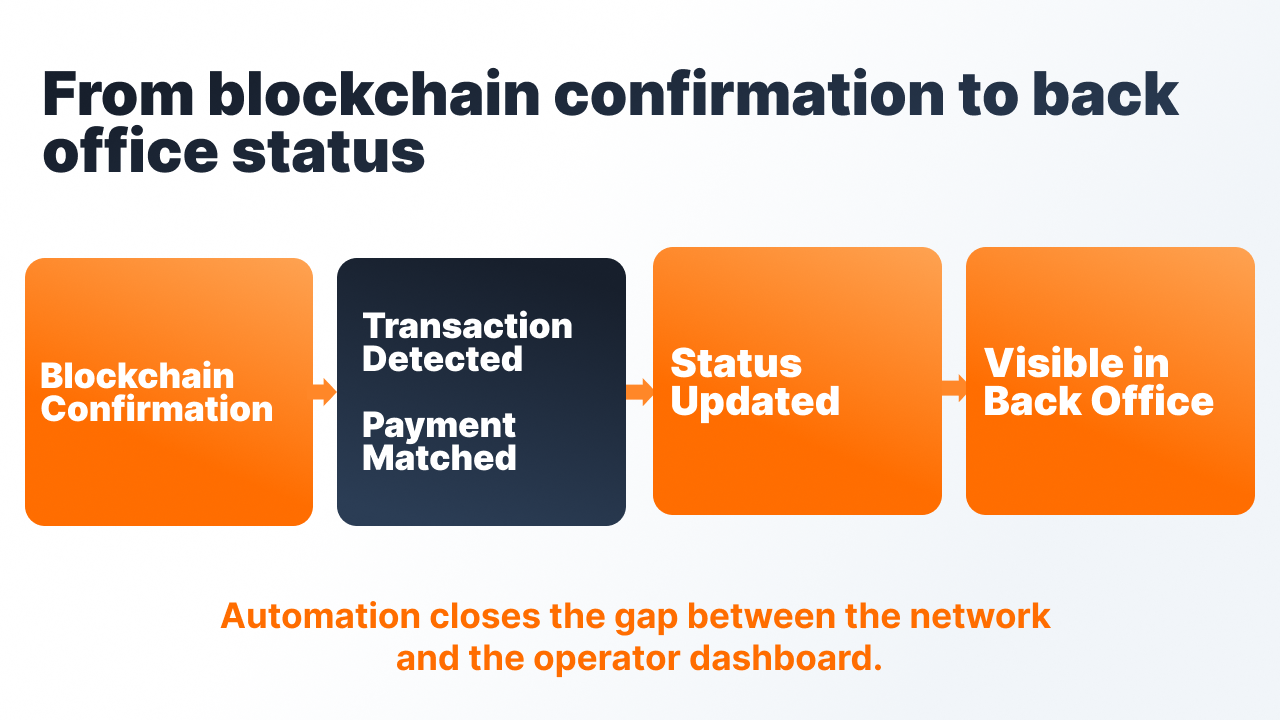
The gap between confirmation on the network and the interface updating is what looks like an "unknown" status. The transaction has already gone through, the operator's system just hasn't updated the data yet.
Even the "confirmed" threshold differs between platforms. Binance treats a USDT transfer on TRON as confirmed after one block, roughly 3 seconds. Coinbase waits for 19 blocks, around 57 seconds (eco.com).
So the same transaction can be "confirmed" for one recipient and still "pending" for another at the same moment.
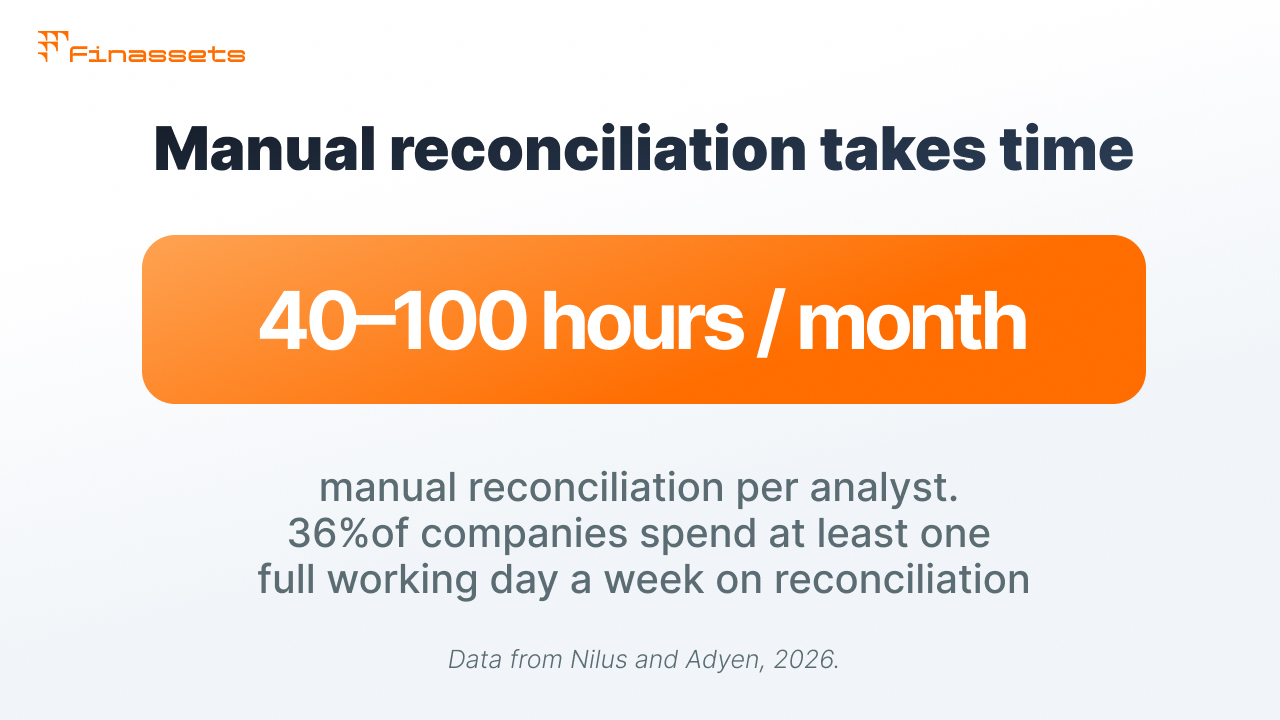
Manual reconciliation can take dozens of hours a month
According to Adyen, 36% of companies spend at least one full working day a week on financial reconciliation, and more than 30% name manual-process errors as one of the main problems (Adyen — Financial reconciliation, 2026).
In iGaming, the problem gets worse if the operator works with several networks and wallets. Each one adds a separate point for manual reconciliation.
In one of our iGaming cases, ZenCasino's move to automated reconciliation lowered the finance department's operating costs by 70% by cutting manual work.
Transaction status in Finassets updates automatically after network confirmation
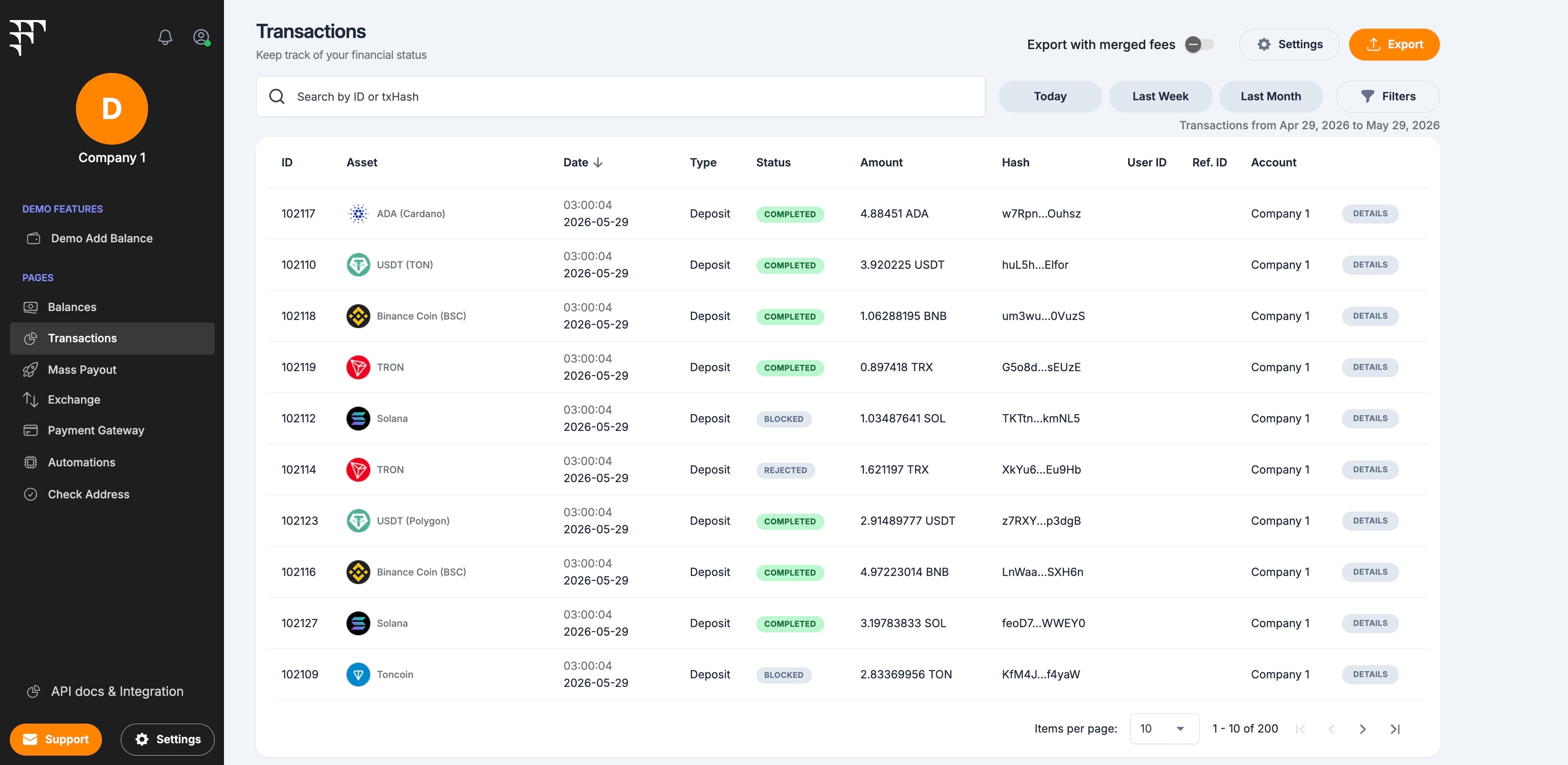
Back Office isn't limited to transaction reconciliation. It's a workspace where payment status is visible alongside balance, payouts, conversions, and other operations.
|
Section |
What happens there |
|
Dashboard |
Key metrics, money flows, and volumes by network in one place |
|
Balances |
Crypto balance across all assets in one place |
|
Transactions |
All incoming and outgoing payments with verification |
|
Mass Payouts |
Mass payouts to partners or a team in one run |
|
Exchange |
Conversion between assets at the current rate |
|
Invoicing |
Issuing and tracking crypto invoices |
|
Payment Button |
Accepting payments directly from a website |
|
Automations |
Automatic conversions and recurring tasks |
|
Check Address |
Checking a wallet address before sending |
Transaction status is visible in the context of balance, payouts, and conversions.
Dashboard shows key metrics on a single screen
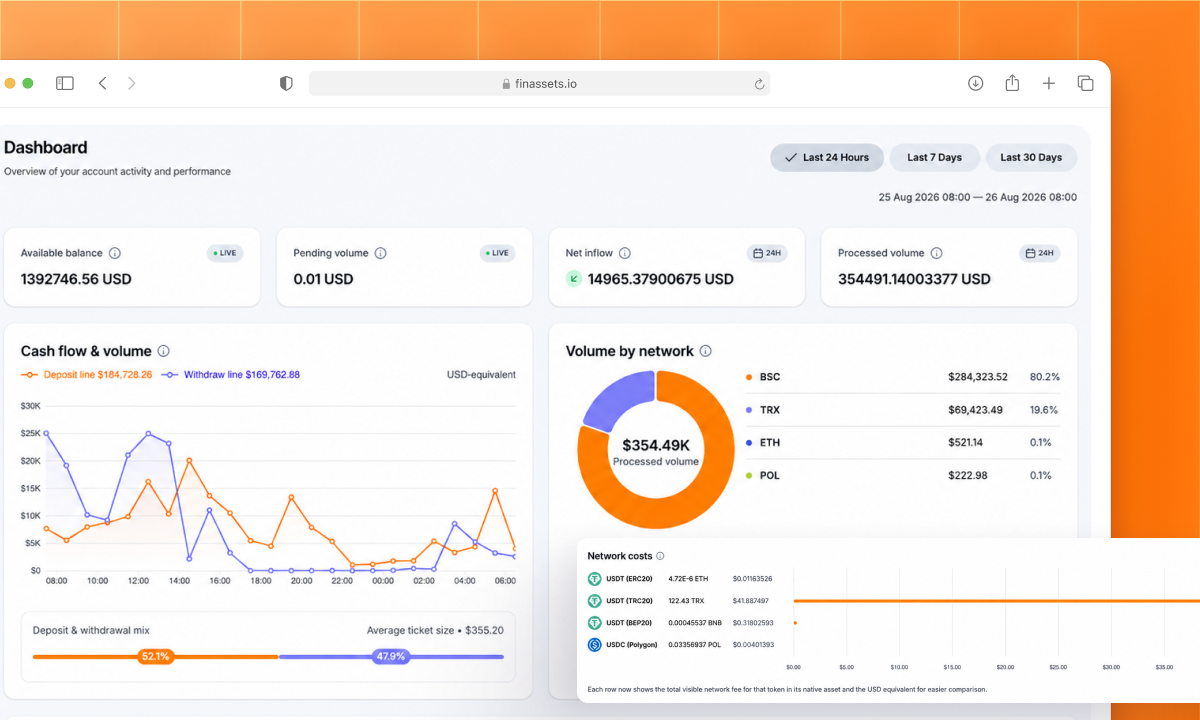
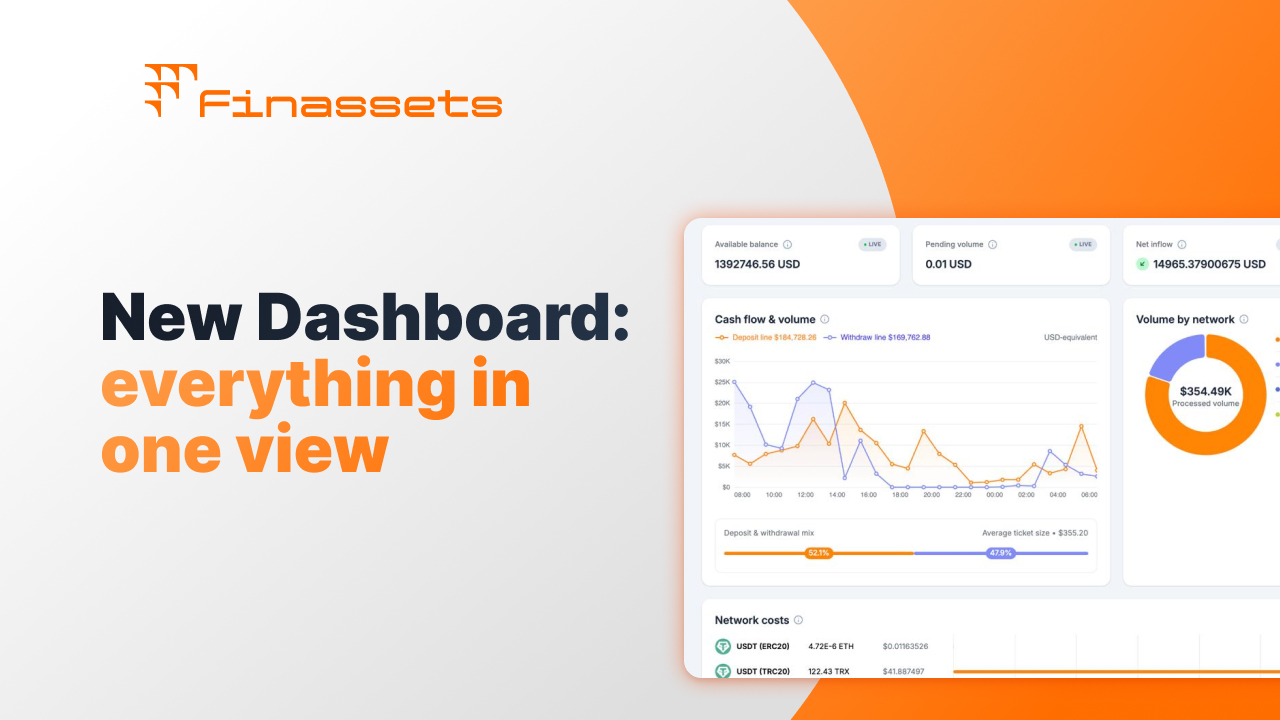
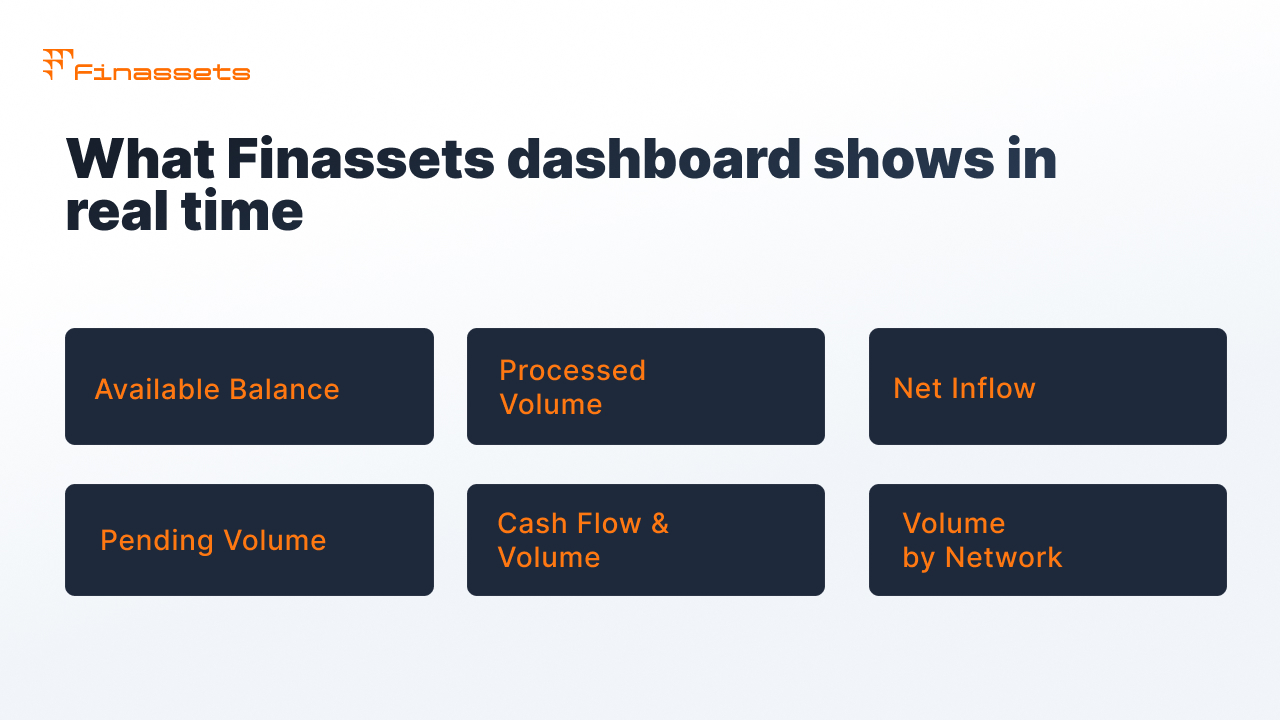
In August 2026, Back Office Finassets got a separate Dashboard section that brings together key financial and operational metrics in one place instead of having to look for them across different pages.
|
What the Dashboard shows |
Why the operator needs it |
|
Available Balance |
How much is available right now, without manual recalculation |
|
Processed Volume |
How much has already been processed over the selected period |
|
Net Inflow |
Net movement of funds, inflow minus outflow |
|
Pending Volume |
How much is still being processed, what used to require manual checking |
|
Cash Flow & Volume chart |
Deposit and withdrawal dynamics over time, not a one-off snapshot |
|
Volume by Network + network costs table |
How volume is distributed across networks and what it costs per asset |
Pending Volume shows the total amount of funds being processed. The finance team sees it right away, instead of only learning about a problem after a complaint about a specific deposit.
Structured Checkout ties a transaction to a specific payment session
Manual reconciliation comes up more often when payments go to a shared address and you need to separately figure out which deposit a transaction belongs to.
In Structured Checkout, each payment session is assigned a unique address, so status can be tracked automatically without manual matching.
- The balance is credited within an average of no more than 30 seconds after confirmation, and identifying the payment takes no more than 15 seconds, because the system doesn't need to guess which session a transfer belongs to.
- Partial payments don't get lost between the lines of a manual spreadsheet: if a player sent the amount in several installments, the system sees this by specific session, rather than trying to match it after the fact.
- The full history of all sessions is available in Back Office, you can look up a specific payment without opening an explorer or requesting data from the support team.
Back Office cuts down manual reconciliation, but doesn't replace support
Automatic tracking shows what's happening with a transaction inside the provider's infrastructure. But it doesn't remove external causes of delay: network congestion, an AML review, or a failure at another link in the payment chain.
|
What Back Office monitoring solves |
What monitoring doesn't solve |
|
Status visibility without manual checking in an explorer |
A delay caused by network congestion, which is an external factor |
|
Early detection of a stuck payment as an anomaly, rather than after a player complaint |
A compliance hold, if a transaction is stopped for AML review, the status won't change until the review is finished |
|
A history of sessions and partial payments without manual reconciliation |
A situation where the problem is on another link in the payment chain, not the provider itself |
So it's important to distinguish a normal status-update delay from an actual problem. Automation helps with the first case, the second needs escalation to Support.
If a transaction is genuinely stuck, you need Support
If the Dashboard and Structured Checkout don't explain what happened with a specific transaction, the next step is a Support ticket. The section opens from the left-hand menu at any time, regardless of which part of the platform the operator is in.
After it's submitted, the ticket turns into a conversation with the team. The Details panel shows the ID, status, and date of the last update. All of a user's tickets are gathered in a single list regardless of workspace.
Alongside tickets, a dedicated Telegram chat with a manager is set up at the integration stage. Typical resolution time for an incident is up to 10 minutes. This gives the operator a direct channel for escalating a specific transaction.
What to check before contacting Support
Before contacting Support, some causes can be checked directly in Back Office.
- Is the Transactions section open: is the status of the specific payment visible there, not just the amount?
- Is the Dashboard showing a higher-than-usual Pending Volume: maybe the delay isn't in one transaction, but across the network as a whole?
- Has enough time passed since sending for the required number of network confirmations?
- Does the amount fall under underpayment conditions: did the trader or player fail to account for the network fee?
- If the status is genuinely unclear for longer than usual: is a ticket open with Urgent priority, rather than Low or Normal?
- Has a dedicated Telegram chat with a manager already been set up, if so, the question can often be resolved faster there.
Finassets shows transaction status before you need to contact Support
The network and the provider's internal system remain two separate data sources, so a small delay between them is always possible. But it doesn't have to be closed manually.
Finassets is a Panama-registered B2B crypto payment infrastructure provider for iGaming and eCommerce. In Back Office, this is implemented through several tools:
- Dashboard with Available Balance, Processed Volume, Net Inflow, and Pending Volume in real time, plus a breakdown of volume and cost by network.
- Structured Checkout: a unique address for each payment session, automatic status tracking, a history of partial payments. The balance is credited within an average of no more than 30 seconds after blockchain confirmation.
- A single workspace.
- Escalation, if a payment still gets stuck: priority Support tickets and a dedicated manager chat on Telegram, with response metrics fixed in the contract.
Status visibility should be a basic feature of a crypto provider
A stuck-looking status more often means a delay between network confirmation and the provider updating its data, not lost funds. The question is whether the provider closes that gap automatically or leaves manual reconciliation to the finance team.
The Finassets team can show what Back Office and the Dashboard look like for your operator's specific volumes and networks.
→ Discuss transaction tracking with the Finassets team