

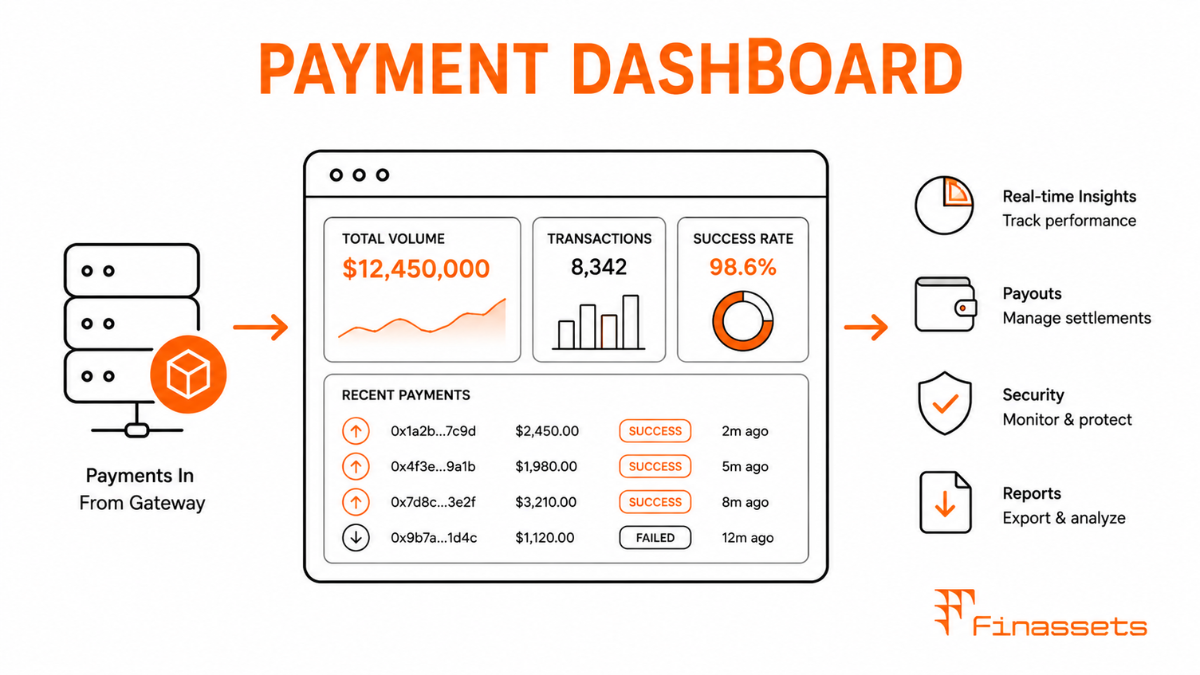
Core Components of a Well-Designed Payment Dashboard
A payment dashboard is the primary operational interface between a merchant and their crypto payment gateway — the place where payments are monitored, settlements managed, integrations configured, and compliance documents maintained. The completeness and usability of the dashboard directly affects how much operational support a merchant requires and how quickly they can identify and resolve payment issues.
The key components of a production-quality payment dashboard include:
● Real-time transaction feed: A live list of incoming payments showing invoice ID, Order ID, crypto amount and asset, fiat equivalent, confirmation count, current status, and TXID. Filterable by status (pending, confirmed, expired, failed), date range, currency, and amount. Searchable by Order ID or TXID.
● Settlement management: Current unsettled balance by currency, scheduled next settlement date and amount, settlement history with bank transfer references, and on-demand settlement initiation for accounts configured for manual payouts.
● Reporting and exports: Transaction reports exportable as CSV or Excel for specified date ranges, with all fields needed for accounting — crypto amount, conversion rate, fiat amount, fees deducted, settlement date. API access to the same report data for automated reconciliation pipelines.
● API key management: Creation, rotation, and revocation of API keys with configurable permission scopes. IP whitelist management per key. Webhook endpoint configuration and delivery log for debugging.
● Account configuration: Settlement currency and auto-conversion ratio settings. Payout schedule configuration. Accepted cryptocurrency selection. Payment window duration and confirmation threshold settings per currency.
● Compliance documents: KYB document status, expiry alerts for documents due for refresh, notification of compliance review requests from the gateway's team.
● Notification preferences: Email and webhook notification settings for payment events, settlement events, and account alerts.
Real-Time vs. Batch Data in Dashboards
A merchant watching their dashboard during a busy sales period has different informational needs from a finance team running end-of-day reconciliation. Real-time data — individual payment confirmations, balance changes — is consumed by operations staff monitoring for payment issues and customer service staff responding to payment queries. Batch data — daily transaction totals, settlement amounts, fee summaries — is consumed by finance and accounting teams working in periodic cycles.
The best dashboards serve both audiences by providing both views: a real-time stream of individual transaction events and a summary analytics layer that aggregates those events into daily, weekly, and monthly totals with trend comparisons. Merchants who run regular settlement reconciliation benefit from a dedicated reconciliation view that shows confirmed payments against settled amounts and identifies any discrepancies between the gateway's records and the bank statement entries.
Role-Based Access in the Dashboard
Payment dashboards used by teams with different roles require access control that matches responsibility to capability. A customer service representative who looks up payment status to resolve a customer query does not need access to settlement configuration or API key management. A finance manager who runs reports and manages payouts does not need access to compliance documents or webhook configuration. Over-provisioned dashboard access creates both security and compliance risks — a team member with accidental access to settlement controls who makes an error could trigger an unintended payout.
Dashboards with role-based access should offer at minimum: read-only access (view transactions and reports only), operator access (create and cancel invoices; initiate refunds), finance access (manage settlements and view reports; no transaction creation), admin access (all of the above plus API key management and account configuration), and compliance access (view compliance documents and KYB status; restricted from financial controls). These roles should be configurable with specific IP-level restrictions matching the gateway's API whitelisting system.
Compliance Note: This glossary entry is provided for general educational purposes only and does not constitute financial, investment, legal, or tax advice. Industry terminology may vary across jurisdictions and providers; definitions herein may not directly reflect the specific features, terms, or specifications of Finassets' services. For details on Finassets' offerings, please refer to official product documentation or contact our team directly.