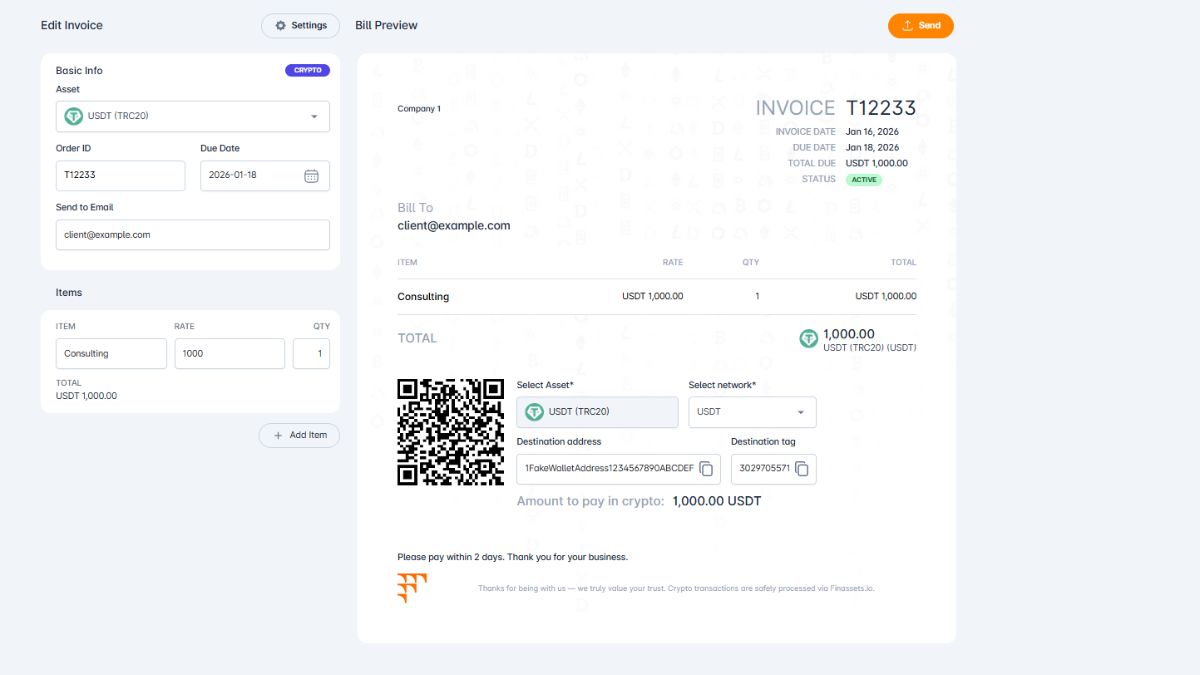
Creating a crypto payment gateway API key using the Finassets service allows you to accept cryptocurrency payments directly through your platform, app, or website. With robust security, real-time blockchain confirmations, and developer-friendly tools, Finassets makes crypto payment integration simple and scalable — even for high-volume businesses.
This step-by-step guide shows you how to generate your API key, secure it with IP whitelisting, and begin integrating crypto payments using the Finassets infrastructure.
What Is a Crypto Payment Gateway API?
A crypto payment gateway API is a programmable interface that enables you to automate and manage cryptocurrency payments on your platform. It connects your systems with blockchain networks like Bitcoin, Ethereum, TRON, BNB Smart Chain, and Polygon, allowing you to accept crypto payments securely and efficiently.
The Finassets API provides full control over the following services:
- Payment buttons
- Invoicing
- Crypto-to-fiat auto-conversion
- Mass payouts
- Exchange
- Custody
It’s a powerful solution for developers and businesses looking to offer secure, compliant, and borderless payment options using digital currencies.
How to Create Crypto Payment Gateway API Key Using Finassets
Step 1: Locate the Section for Creating a Crypto Payment API
Log into your Finassets Merchant Dashboard and navigate to the “API docs & Integration” section. This is where you’ll manage all your API keys and integrations.
Step 2: Create a Crypto API Key
Click “Create API Key” to begin generating a new access point. This key will authorize your system to communicate with the Finassets payment infrastructure.
Step 3: Add a Name for Your API Key
Enter a clear and descriptive name for the API key — for example:
“Main Website Gateway”, “Mobile App Checkout”, or “SaaS Billing API”.
This helps you organize and manage multiple keys easily.
Step 4: Receive Your API Key and Secret Key
Finassets will provide you with an API Key and a Secret Key.
Important: Copy the ‘Secret Key’ and store it in a secure location.
Step 5: Edit the API Key
After generating the API keys, you can edit them anytime by clicking the Edit button.
Step 6: Add a Specific IP Address for Extra Security
To prevent unauthorized access, Finassets allows you to whitelist specific IP addresses. Only requests coming from these approved IPs will be able to use your API key — adding an important layer of protection.
Ready to move from theory to action?
After setup, you can begin:
- Testing your API calls via an API sandbox
- Creating crypto invoices and buttons
- Monitoring transactions with real-time webhooks
- Integrating with your checkout, billing system, or platform backend
Test Crypto Payment API Setup in the Free Demo
Curious how it works in the real world, but not ready to set up an account?
👉 Try our free crypto payment gateway demo.
Test Finassets’ crypto payment API and explore other features. No credit card, PayPal, or other verification is required to sign up.
Just enter your email, and we’ll send your login details right away.
Who Can Benefit from a Crypto Payment Gateway API?
Finassets’ API is ideal for developers, startups, and enterprises looking to process crypto payments directly through their infrastructure.
Common use cases include:
- E-commerce platforms accepting BTC, ETH, and stablecoins (USDT, USDC)
- Subscription services and SaaS platforms
- NFT and Web3 applications
- Freelancers or agencies needing fast, global crypto settlements
- Mobile apps integrating wallet-based payments
- Payment processors and exchanges looking to embed crypto rails
If you want to automate payments, control your crypto flows, and reduce costs — the Finassets API is designed for you.
Finassets Fee Structure
Finassets uses a volume-based pricing model ranging from 0.4% to 0.2% per transaction. The more you process, the lower your fees.
Example Fee Tiers:
- Low volume: 0.4%
- Mid-range volume: 0.3%
- High volume: 0.2%
Use the Finassets Fee Calculator on the homepage to estimate your transaction costs based on your projected monthly volume.
Supported Cryptocurrencies
Finassets supports 70+ cryptocurrencies, including:
- Bitcoin (BTC)
- Ethereum (ETH)
- Tether (USDT)
- USD Coin (USDC)
- TRON (TRX)
- Polygon (MATIC)
- Solana (SOL)
- Ripple (XRP)
- BNB
- Cardano (ADA), and many more
You can accept both native coins and tokens across major standards:
- ERC-20 on Ethereum
- TRC-20 on TRON
- BEP-20 on BNB Smart Chain
- Polygon and TON for faster, lower-cost transactions
This multi-chain support ensures you can serve customers across different wallets and networks.
Why Choose Finassets API?
Here’s why Finassets’ crypto payment gateway is trusted by developers and merchants around the world:
- Live since 2021 with a proven track record
- Low fees (from 0.4% down to 0.2% as your volume grows)
- MPC wallet security with no single point of failure
- Unique TRON energy-saving system that lowers USDT (TRC20) network fees by 50%+.
- Supports stablecoins for pricing predictability
- Built-in KYC/AML compliance
- Crypto-to-fiat conversion available
- Powerful merchant dashboard with wallet, invoice, and payment tracking
- No chargebacks — confirmed blockchain payments are final
- Supports recurring and one-time payments
- 2FA, IP whitelisting, RBAC, and other enterprise-grade security features
- Fully documented API with support for webhooks, rate limiting, and version control
Finassets operates under the jurisdiction of Panama — a crypto-friendly environment with minimal bureaucracy.
Start Accepting Crypto Payments with Finassets
Creating your crypto payment API with Finassets takes just a few minutes — and gives your business a secure, scalable, and developer-ready gateway into the world of cryptocurrency payments.
👉 Register an account and generate your API key now, test in sandbox mode, and go live with crypto payments on your site or app — powered by Finassets.