Learning how to create a crypto invoice is essential for businesses accepting digital currency. With Finassets, the process is easy, secure, and doesn't require advanced tools or coding skills. Whether you're a freelancer, SaaS platform, or eCommerce store, Finassets offers a simple way to issue, track, and get paid using crypto.
This guide shows you how to generate crypto invoices using Finassets’ crypto invoicing service, how it works, and why it’s a top solution for crypto invoicing in 2026.
What Is a Crypto Invoice?
A crypto invoice is a digital request for payment, allowing you to receive cryptocurrency instead of fiat. It includes details like invoice ID, due date, amount, and wallet address. Once paid, the transaction is recorded on the blockchain with a unique crypto transaction ID and on-chain payment record.
With Finassets, crypto invoicing is built into its payment gateway — enabling users to send blockchain invoices via customizable payment links.
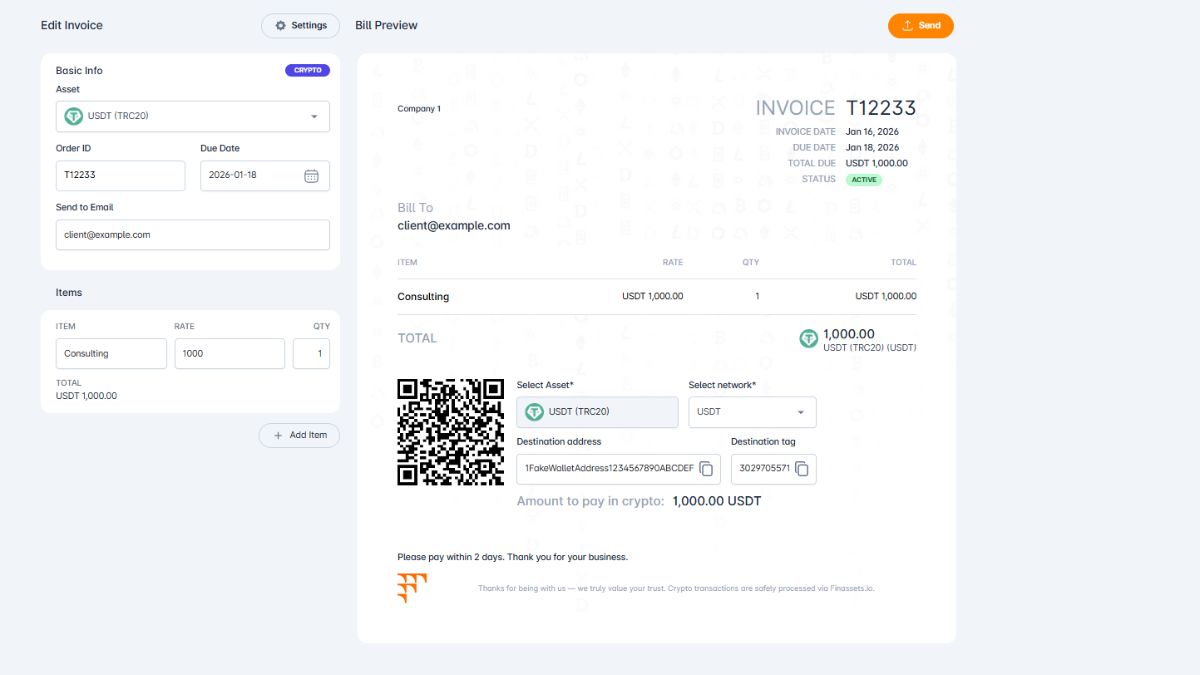
How to Create Crypto Invoice with Finassets
Finassets makes crypto invoicing simple — no advanced tools or integrations needed. Just follow the steps below.
Step 1: Select the Cryptocurrency for the Invoice
Choose from 70+ supported coins including Bitcoin (BTC), Ethereum (ETH), USDT, USDC, and more. You can also choose the blockchain network (e.g., ERC20, TRC20, BEP20) to optimize for fees.
Step 2: Add an Invoice ID
Assign a unique invoice number or ID. This helps you manage your records and integrate with your invoice tracking system.
Step 3: Set the Invoice Due Date
Define when the invoice expires — for example, 15 minutes or 1 hour. This helps control exchange rate volatility and enhances payment accuracy.
Step 4: Enter the Recipient’s Email
Add the customer’s email address. Finassets uses this to notify users and maintain a trail for crypto tax compliance.
Step 5: Add Items to the Invoice
List products or services with name, quantity, and price in crypto. This information is embedded in the payment button's metadata.
Step 6: Send the Crypto Invoice
Once configured, Finassets generates a secure payment request link or crypto payment button. You can email it, or embed it on your website for easy checkout.
Note: You can edit your invoice details anytime from the Finassets dashboard.
Step 7: Track Payment Status
Monitor when your invoice is active, viewed, and paid - all in real time.
Ready to move from theory to action?
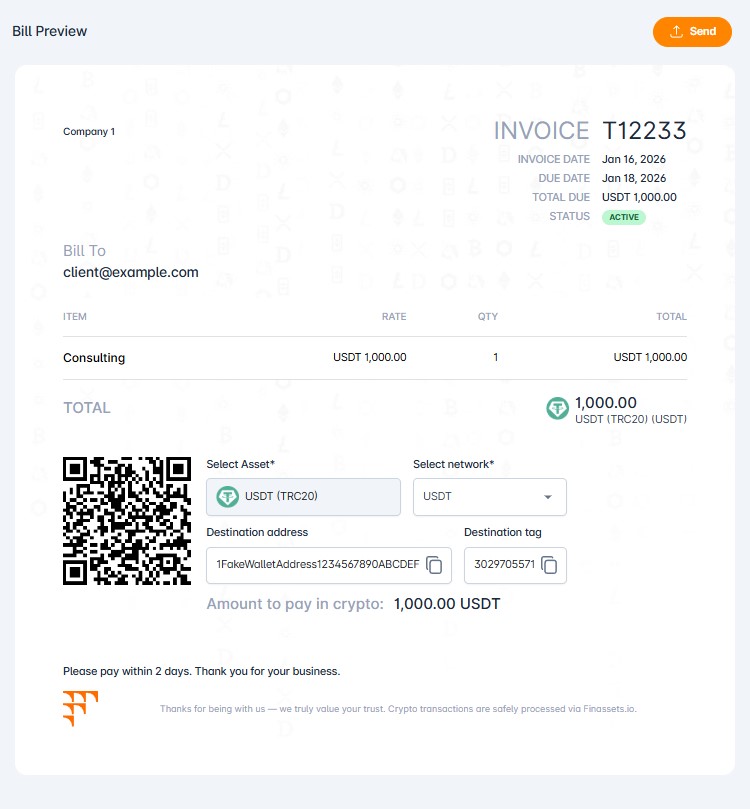
Cryptocurrency Invoice Template
You can find an example of a crypto invoice template below. The template is fully customizable, allowing you to adjust the currency, pricing, and date based on your business needs.
Test Crypto Invoice Generation Using the Free Demo
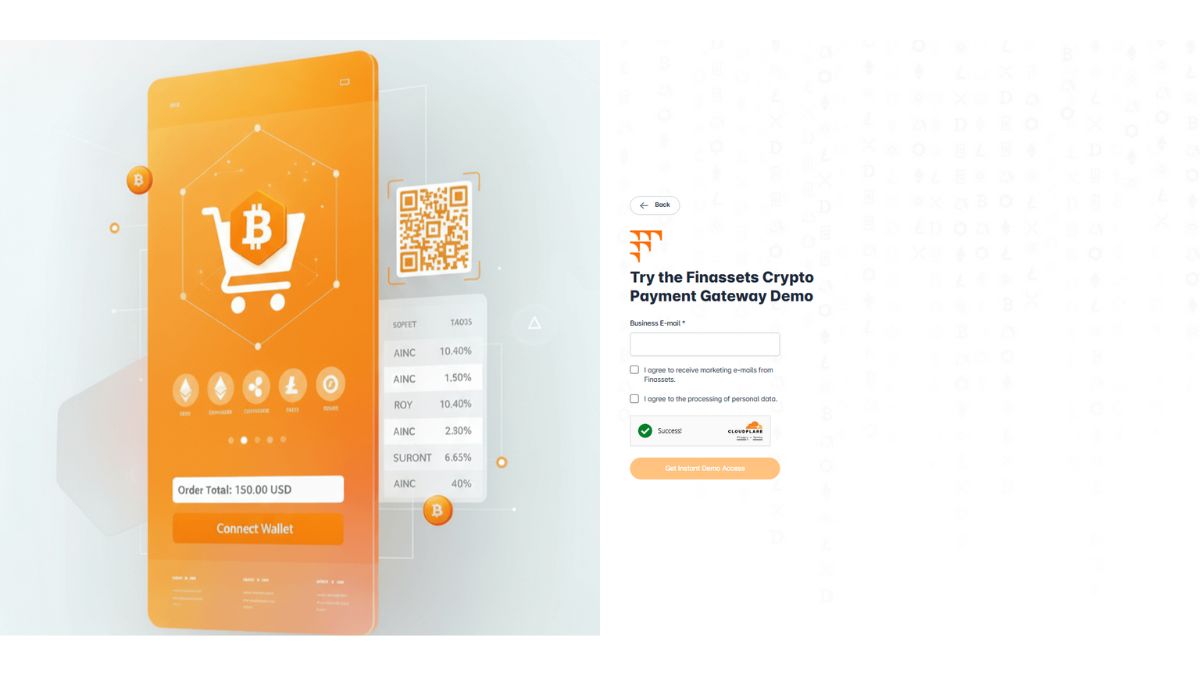
Curious how it works in the real world, but not ready to set up an account?
👉 Try our free crypto payment gateway demo.
Test Finassets’ crypto invoice creation process and explore other features. No credit card, PayPal, or other verification is required to sign up.
Just enter your email, and we’ll send your login details right away.
Who Should Use a Crypto Invoice?
Crypto invoicing software and invoice generators are ideal for a wide range of online platforms and business types, especially those operating globally or in digital-first industries.
- E-commerce websites: Accept crypto checkout payments for physical or digital goods.
- Freelancers & agencies: Get paid in crypto for services, with fast settlement.
- SaaS & subscriptions: Use crypto subscription invoicing for recurring billing.
- Nonprofits: Accept donations via stablecoins or tokens with low fees.
- Digital content platforms: Sell e-books, online courses, or software licenses.
- Gaming & NFT platforms: Enable fast, secure in-game and digital asset transactions.
Finassets supports merchant crypto acceptance across all these use cases with ease.
Finassets Fees & Supported Cryptocurrencies
Fees
Finassets offers some of the lowest fees in the industry, starting from 0.4% and going as low as 0.2% for high-volume merchants. You can use the fee calculator on the homepage to estimate your cost based on volume.
Supported Cryptocurrencies
Finassets supports 70+ cryptocurrencies, including:
- Bitcoin (BTC)
- Ethereum (ETH)
- Tether (USDT)
- USD Coin (USDC)
- Solana (SOL)
- Ripple (XRP)
- Cardano (ADA)
- Tron (TRX)
- BNB
Stablecoins like USDT are available across all major networks, including ERC20, TRC20, BEP20, and TON. This gives your customers maximum flexibility, while you benefit from decentralized payments and stablecoin transactions.
Why Finassets Is One of the Best Invoicing Tools for Crypto in 2026
Feature: |
Benefit: |
|
Crypto-to-fiat conversion |
Automatically convert crypto payments to EUR or stablecoins to reduce volatility risk and protect value. |
|
Low transaction fees |
Fees start at 0.4% and scale down to 0.2% as volume increases. |
|
Recurring crypto invoices |
Perfect for subscription billing. |
|
MPC & 2FA security |
Enterprise-grade security powered by MPC and two-factor authentication. |
|
TRON Energy Saving System |
Reduce network costs by 50%+ for TRC20 payments. |
|
Professional invoice template |
Create clean, well-structured invoices designed for businesses, with clear payment details and a polished, professional layout. |
|
Real-time notifications |
Webhooks to track payments instantly. |
|
No chargebacks |
All payments are final and irreversible on blockchain |
|
KYC/AML compliance |
Built-in safeguards for legal compliance |
Start Sending Crypto Invoices Today
If you're looking for a crypto invoice generator that is fast, secure, and developer-free, Finassets is your go-to solution. From freelancers to SaaS platforms and online shops, it covers every use case with smart automation and seamless integration.
👉 Register an account today and create your first crypto invoice—stay ahead with Finassets crypto payment solutions.